As a software team or project manager, it can be difficult to remain organized and efficient with Agile workflows. However, using Agile product management software is a great way to help keep everything together. Agile product management tools are made to help your team plan more effectively, work together more quickly, and stay on course throughout the entire project.
When done right, Agile isn’t just good for teamwork; it can lead to a serious business impact, driving up to 277% better performance.
If you’re searching for the correct tool to assist your expanding team, this article highlights some of the best Agile product management tools to help you make an informed, impactful decision.
Top Agile product management tools for teams
The best Agile project management software boosts team collaboration, accelerates delivery, and improves visibility. The three Agile software management tools listed here will help teams stay organized, work more productively, and quickly adjust to changing requirements.
1. Jira
Via Jira
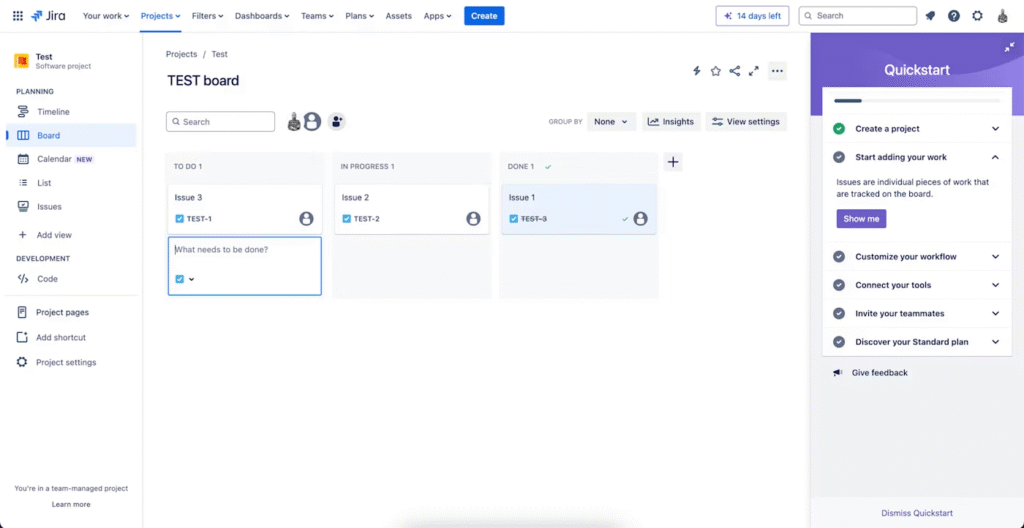
Jira is one of the most well-known project management tools available. Originally designed with software development teams in mind, it is currently utilized by a wide range of departments, including operations and marketing.
Jira’s uniqueness stems from its flexibility. It allows for sprint planning, tracks complexity in bug tracking, and works well with complex workflows. When integrated with Bitbucket, Trello, and Confluence – all developed by Atlassian – it helps the team work in a single workspace.
Jira provides you with project boards to easily track task status and progress. While perfecting the workflows may require some technical expertise, its powerful customization options allow teams to tailor processes to their exact needs.
2. Asana
Via Asana
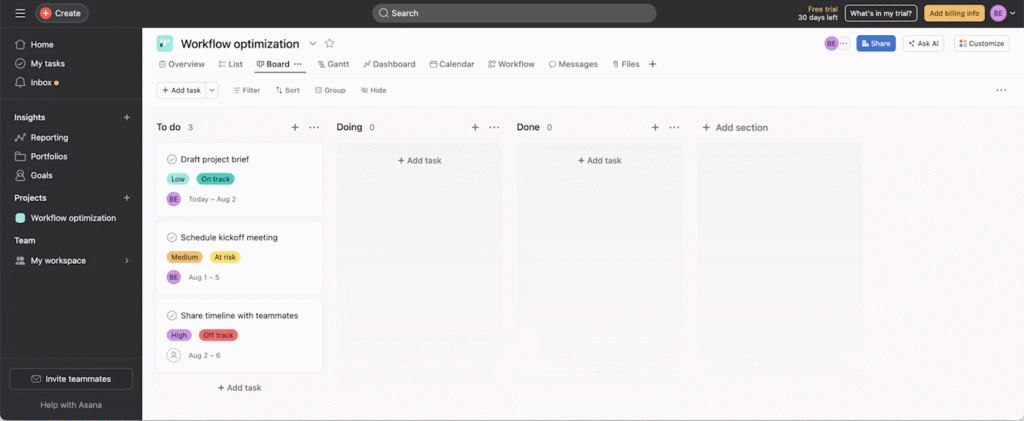
Asana is a highly effective agile product management tool for assigning tasks, timeline tracking, and customizable views. It provides integrations so you can take action promptly while visualizing the process. It features an AI-powered assistant that provides insights into the data, recommendations for addressing challenges, and suggestions on next steps.
Managing multiple accounts can present challenges, such as pop-up windows that occasionally block menu options. The absence of built-in time tracking is another potential drawback.
3. Trello
Via Trello
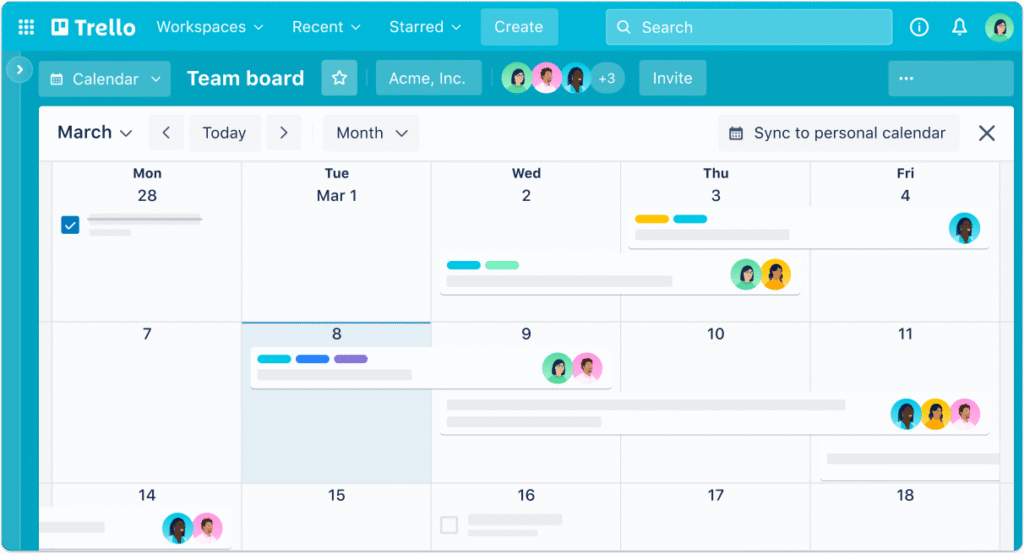
Trello is a user-friendly, visual Agile tool that helps your team manage their work with boards, lists, and cards. Some standout features of Trello are Butler automation, card ageing, and voting that will help teams automate their workflows and prioritize their tasks.
Trello allows integrations with Slack, Jira, and Google Calendar and also has Power-Ups. Trello’s main drawbacks include its outdated user interface and limited number of boards. These limitations can make it difficult for growing teams to scale and manage their work effectively as their needs increase.
Best Agile product management tools for product managers
Here are the three best Agile product management tools highly recommended for product managers, based on features, flexibility, and ease of collaboration:
1. ClickUp: Best for all-in-one agile product management
Via ClickUp
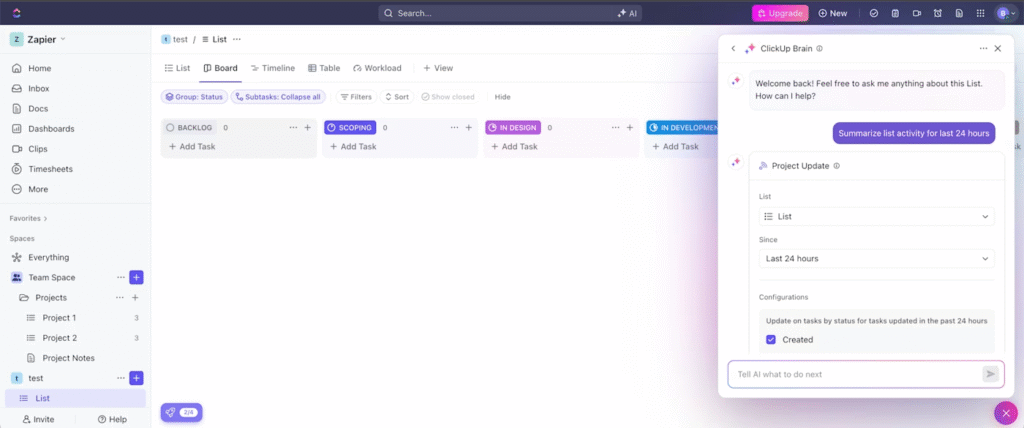
ClickUp is a flexible and highly intuitive Agile product management tool that works with Scrum, Kanban and completely customized workflows. With a view of Kanban, Gantt charts, and a Calendar view, ClickUp makes managing and tracking work easy. You can easily track sprints using the standard built-in Burnup and Burndown charts. It also comes with pre-built templates for backlogs and retrospectives.
It can be a little overwhelming at first with lots of features available to use, which require a learning curve.
2. Wrike: Best for resource management and reporting
Via Wrike
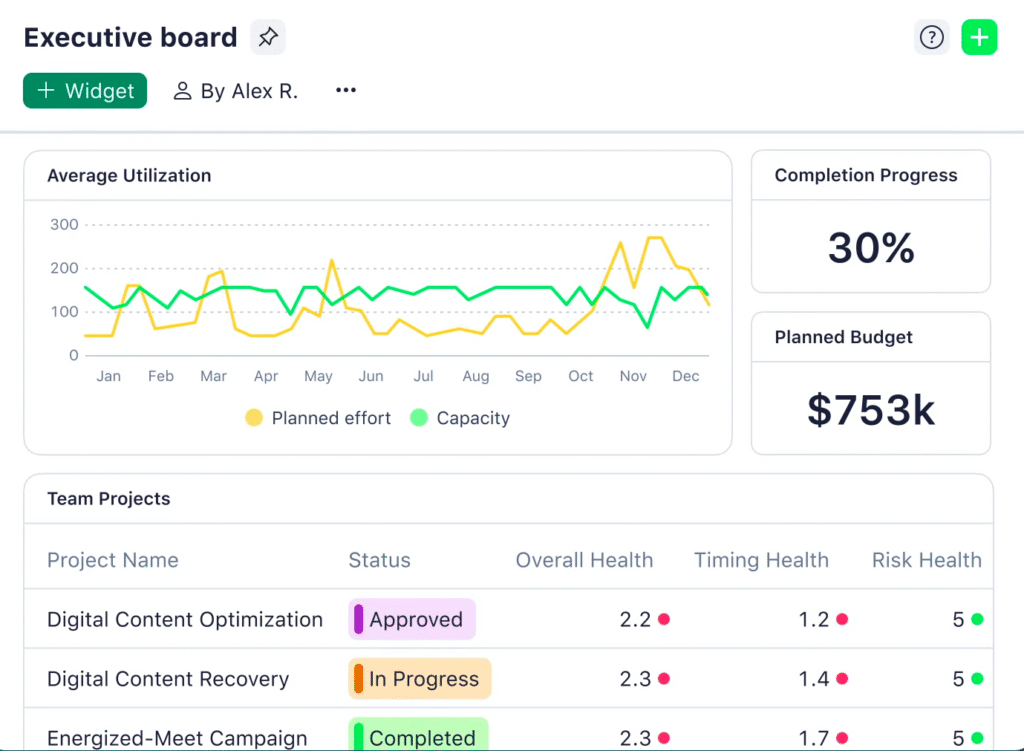
Wrike is a user-friendly Agile product management software designed for teams of all sizes. It also provides effective reporting and analytics, utilizing relevant data, and you can easily track the time it takes for team members to complete specific tasks, allowing for improved future sprint planning.
The main features include customizable dashboards, an AI tool that assists with creating content and summaries for work, and Wrike offers good security and versatility. However, the interface appears outdated, and the free plan has limitations on tasks, making it an unsuitable option for growing teams.
3. Monday.com: Best for team collaboration and custom workflows
Via Monday.com
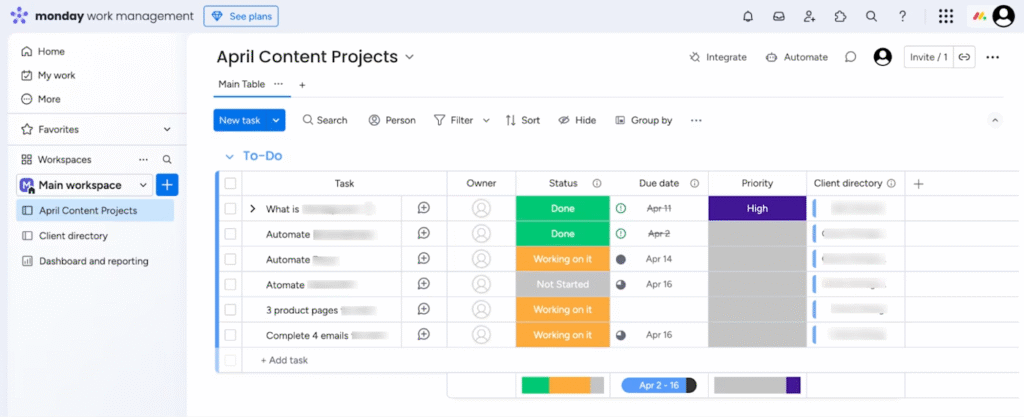
Monday.com is a versatile Agile product management tool that facilitates team collaboration, workflow optimization, and task alignment with strategic goals.
It features solid portfolio management capabilities for high-level visibility into projects and includes features for tracking milestones, risks, and dependencies, enabling more granular execution. Product managers can set and track OKRs, automate repetitive workflows, and utilize custom forms to manage project requests.
While it takes time to develop a deep sense of intuition in how the platform works, particularly in terms of its depth of functionality, the learning curve for new users is during the setup.
Key features of Agile product management tools
When considering your options for an Agile tool, its ability to support team collaboration and the effectiveness of your project workflows are critical features to evaluate. Here are some of the most important features to consider:
- Enables collaboration and communication: A good Agile tool makes it easy for team members to share updates, give feedback, and stay in sync, so everyone knows what’s happening.
- Provides a centralized repository: There should be a home for all information regarding a project. The right tool provides centralized access for organizing documents, tasks, and timelines.
- Generates analytics: The tool’s ability to create reports and analytics improves project oversight and helps product managers track performance against KPIs. It also supports better decision-making and makes it easier to spot bottlenecks in a project.
- Provides workflow capabilities: Custom workflows based on your team’s process will not only make your team more efficient but will also maintain consistency across projects.
- Tracks progress visualizations: Visualizing tools, like Kanban boards, Gantt charts, etc, allow you and your team to track project progress by visualization. This allows team members to see what they are tracking, what they are not tracking, and the overall progress of the project.
- Scalability: Ensure the tool can grow with your team’s size, complexity, and workload without losing performance.
- Tracks project status: Look for a tool that provides up-to-date project status, so the team can quickly understand the necessary actions and any required interventions.
- Includes issue tracking: A good agile tool should provide mechanisms for teams to track visible issues or problems to manage the development process and reach targets.
Let’s try to find a product management tool that has as many of these features and characteristics as possible and suits your enterprise’s needs.
How to choose the right Agile product management tool for your team
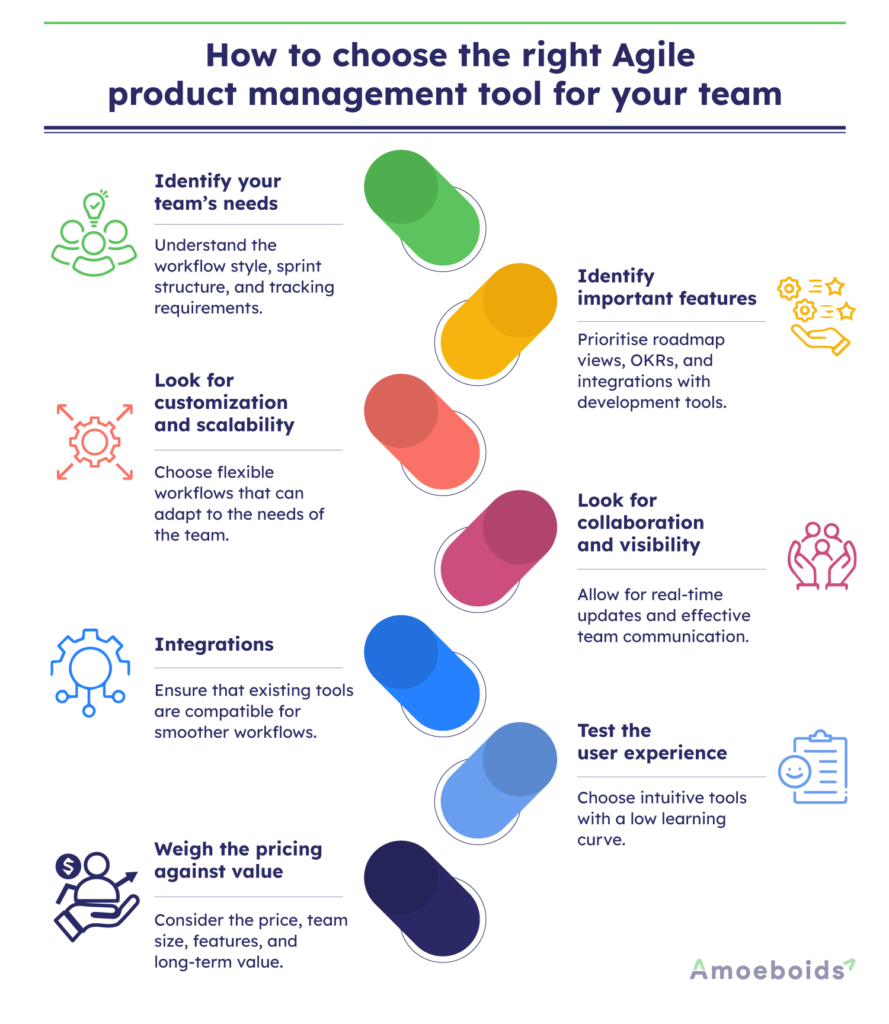
Choosing an Agile product management tool is about finding the right tool to fit your team’s workflow, needs, and collaboration styles. Here is a brief guide to help you choose the right tool for your team:
1. Identify your team’s needs
First, it is important to understand how your team works. Are you utilizing a Scrum process, a Kanban process, or a combination of the two in an Agile orientation? Do you require robust sprint planning features or simply a visual way to track tasks? Understanding your process helps eliminate options that don’t support your workflow.
2. Identify important features
Identifying the key Agile features you need is also important. If you’re a product manager, other useful features may be roadmap views, OKR tracking, and integration with your development tools like GitHub or Jira.
3. Look for customization and scalability
Look for a tool that fits you and your team, not the other way around. Select a tool that allows you to customize your workflows, views, and fields and that can scale with you and your product and team.
4. Look for collaboration and visibility
Agile is focused on quick feedback and maintaining open communication. The tool has to allow seamless communication among the team with real-time updates.
5. Integrations
The tool has to integrate with other tools that your team uses. This will save you time to integrate and help you work efficiently.
6. Test the user experience
Regardless of how great this tool is in terms of features, if your team finds it very difficult to use, it will not be beneficial. Choose a platform that has a straightforward interface and a minimal learning curve. Make use of free trials to choose the tool that best fits your team.
7. Weigh the pricing against value
Consider your team size and budget. Small teams often can use free plans, but medium to large teams, or teams with more complex needs, will likely need to consider premium features. Look at pricing tiers and determine value relative to cost.
Next, we’ll compare some of the top Agile product management software in the market.
Comparing the top Agile product management tools in 2026
To help you find the right fit for your team, here’s a comparison of the top Agile product management tools in 2025, covering what each tool does best, its key features, and potential limitations
| Tool | Best For | Key Features | Limitations |
|---|---|---|---|
| ClickUp | All-in-one solution for customizable Agile work | Custom workflows, Kanban/Gantt/Calendar views, Sprint tracking, Burnup/Burndown charts, AI tools | A feature-rich interface can be overwhelming; limited mobile capabilities |
| Monday.com | Visual planning and cross-team collaboration | OKR tracking, portfolio view, custom automations, risk management, project intake forms | Learning curve for advanced features; premium plans can be costly |
| Wrike | Enterprise-level project tracking and analytics | Real-time collaboration, custom dashboards, AI content tools, role-based access, Agile templates | Dated UI; limited features on the free plan |
| Asana | Simplicity and cross-functional team alignment | Timeline & calendar views, goal tracking, AI suggestions, custom fields, team collaboration | No native time tracking; not ideal for complex dev workflows |
| Trello | Visual task management and simplicity | Kanban boards, Power-Ups (e.g., Calendar, Jira Sync), card aging, Butler automation | Limited scalability, dated interface, basic communication tools |
| Jira | Software development and detailed sprint planning | Scrum & Kanban boards, workflow automation, dev tool integrations, advanced sprint & backlog management | Steep learning curve; setup can be complex |
Conclusion
In 2025, the best Agile product management tool is the one that best supports your team’s workflow, objectives, and way of working. Whether you’re scaling up or streamlining your current processes, the right tool should help your team stay focused, reduce manual work, and continuously improve.
Each of these agile product management tools mentioned caters to specific needs. While some prioritize a user-friendly interface for smaller teams, others cater to agile projects in large enterprises with robust features and integration capabilities.
Ready to elevate your Agile workflows?
Explore how Amoeboids’ suite of apps can help your team streamline product management and boost productivity. Book a free demo now to learn more.
FAQs
What is the best agile product management software for teams?
The size of your team, workflow, and needs determines the best software. Tools such as ClickUp, Monday.com, and Wrike are great for flexibility and collaboration. Jira is the best for your tech teams managing complex sprints.
What is the best agile product management software for product managers?
Product managers can use ClickUp, Asana, Monday.com, and Amoeboid because they help them track progress, manage roadmaps, prioritize features, and facilitate visual or data-driven conversations.
How do agile product management tools improve team collaboration?
Agile product management tools help teams to connect and communicate seamlessly while tracking tasks, ensuring everyone has access to the same information. Real-time tracking, collaborative boards and integrations with other tools help keep projects flowing smoothly.
What are the key features to look for in the best agile product management software?
Look for tools that provide custom workflows, task automation, sprint planning, collaboration tools, and integration that help your team. Other features, such as scalability and compatibility, are also important.
How can the top agile product management software boost team efficiency?
By automating repetitive tasks, improving visibility, and streamlining sprint planning, these tools help teams focus on meaningful work, reduce delays, and deliver faster with fewer blockers.