
At Amoeboids, we love brining in efficiency through the power of automation. And Automated Release Notes & Reports for Jira is the app that continues to grow in that direction.
With ARNR our motto has always been simple: reduce reporting effort, increase clarity, and help teams focus on delivery rather than documentation.
Every feature we ship is guided by one goal, making Jira data more meaningful, structured, and effortless to consume across teams and stakeholders.
Over the past quarter, we’ve released several powerful enhancements that give you greater control over how your reports and release pages look, feel, and perform. Here’s a quick walkthrough of what we have managed to deliver and a sneak peek into what’s coming next.
Recent Feature Releases
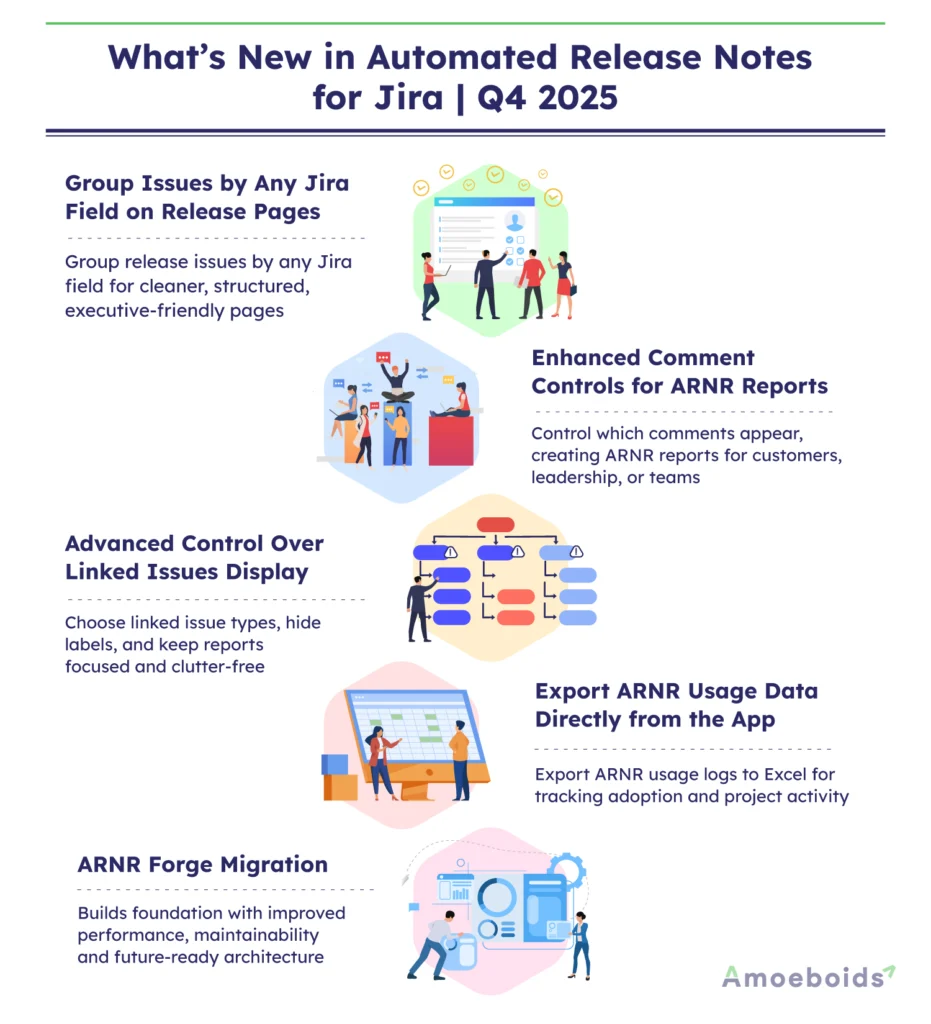
1. Group Issues by Any Jira Field on Release Pages
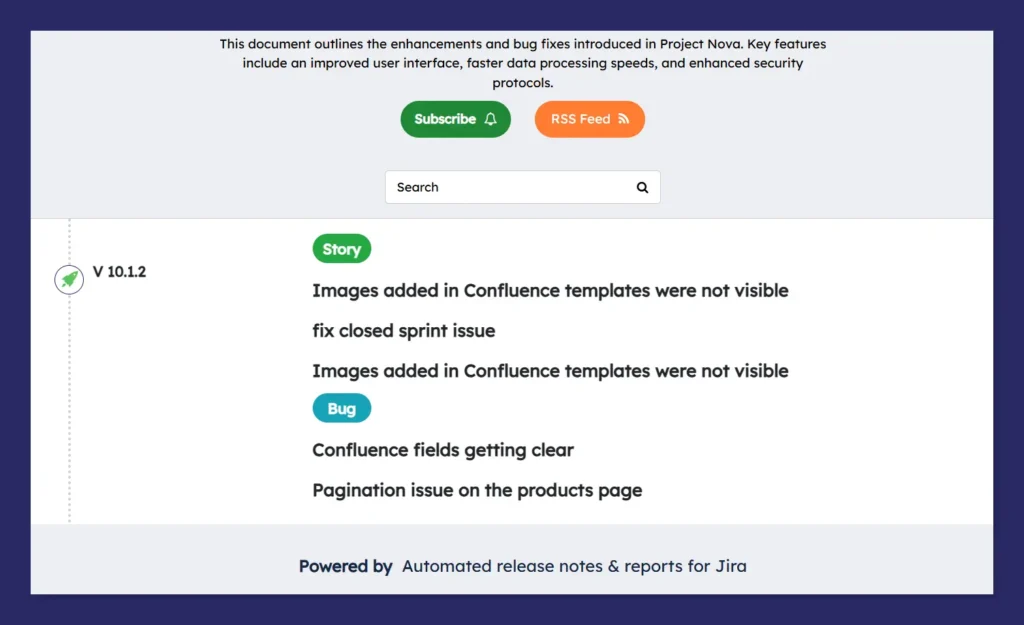
Release pages often grow large and hard to scan as the number of releases increase. To solve this, ARNR now lets you group issues by any Jira field directly on your release pages, resulting in a cleaner and more structured view.
What’s New
- The chosen field (for example, Issue Type, Assignee, or Status) is displayed as a section header.
- Issues are neatly organized under each heading, and the grouped field is no longer repeated inside every issue card.
Use case: Product managers can group issues by status for executive-facing release notes, while engineering teams can group by assignee or priority for internal reviews.
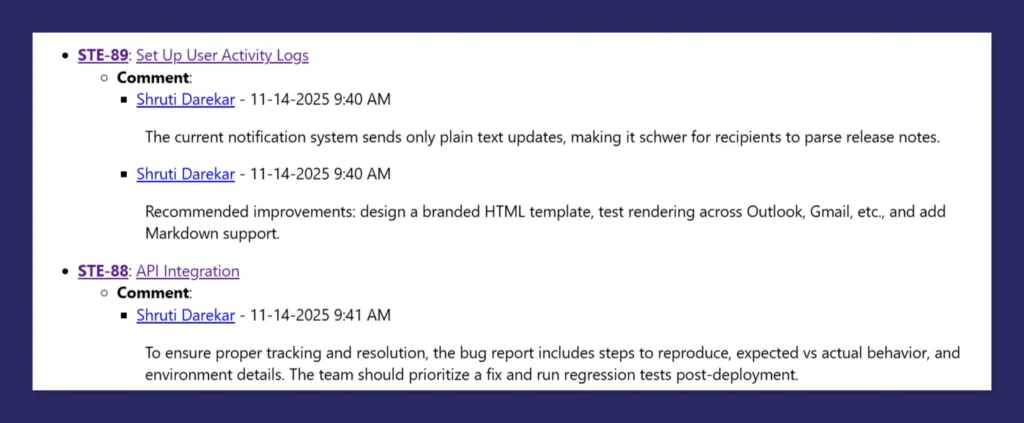
2. Enhanced Comment Controls for ARNR Reports
Comments are critical for context, but not every report needs all of them. We’ve enhanced comment controls so you can decide exactly how comments appear in your reports.
Use case: Share customer-facing reports with only the most relevant updates, while keeping internal reports more detailed and discussion-rich. That’s a good enhancement if your team is generating daily or weekly status reports with ARNR.
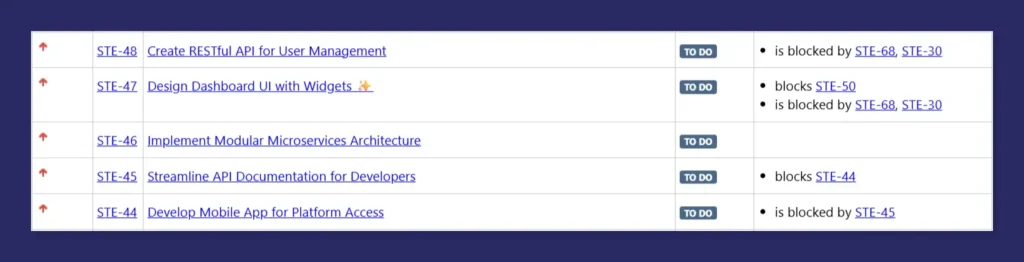
3. Advanced Control Over Linked Issues Display
Linked issues can add valuable context, but too much information can clutter a report. ARNR now gives you fine-grained control over how linked issues appear.
Now you can Select link types to include (for example, blocks, is blocked by, developed by) in a report. And also hide link type labels and display only the linked issue keys for a clean, unified list.
Use case: Create focused reports that highlight only critical dependencies without overwhelming the reader.
4. Export ARNR Usage Data Directly from the App
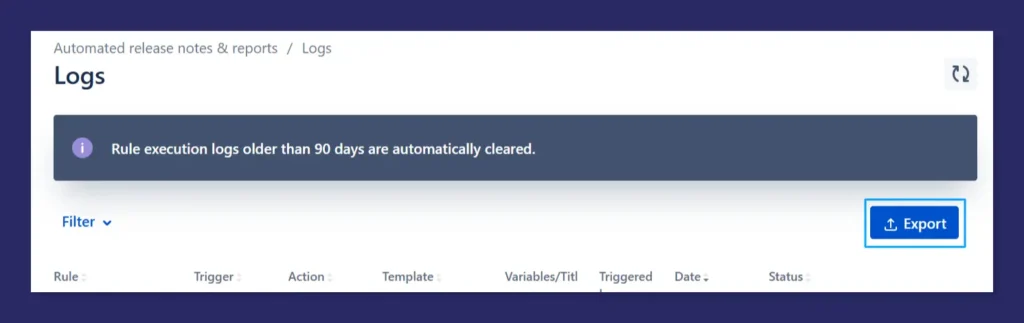
To help administrators and teams better understand ARNR usage, we’ve added a new Export option to the Logs tab.
How It Works
- Export logs from the last 90 days.
- From the In-Project view, export data only for the selected project.
- From the Cross-Project view, export either all projects or only cross-project data.
- Once generated, a download link to the Excel file is sent directly to the logged-in user’s email.
5. ARNR Forge Migration
One of our major focus areas this quarter was migrating ARNR to Forge. As part of this effort, we laid the groundwork for the Forge migration by moving the UI to Forge, implementing the Forge manifest, and setting up a custom UI now served directly via Forge. This establishes a strong foundation for improved scalability, performance, and long-term maintainability as we continue the migration journey.
Upcoming Features: What’s Next Quarter Looking Like?
While we still expect to invest significant efforts into Forge migration, we’re doubling down on usability, automation, and AI-driven reporting in the upcoming quarter.
AI Generator UI Revamp and feature upgrade
- Enhanced AI Macro:
- Support for fetching upto three Jira fields as AI inputs.
- Compatibility with all Jira field types, including standard and custom fields.
- Enables richer, more context-aware summaries across multiple issues without manual consolidation.

- AI Generator UI Revamp and Feature Upgrade:
- Redesigned UI for a more intuitive and streamlined experience.
- Support for using up to three Jira fields as AI input to generate more precise, context-rich content.
- Introduction of a Prompt Gallery with predefined, persona-based prompts to reduce effort and improve consistency.
Confluence Rule Action UI Revamp and attachment support
Managing Confluence actions will become simpler and more intuitive. We’re also adding the ability to:
- Automatically attach generated attachments (other ARNR reports) to Confluence pages.
- Supported formats will include PDF, MS Word, MS PowerPoint, HTML, and JSON.

Rule Gallery
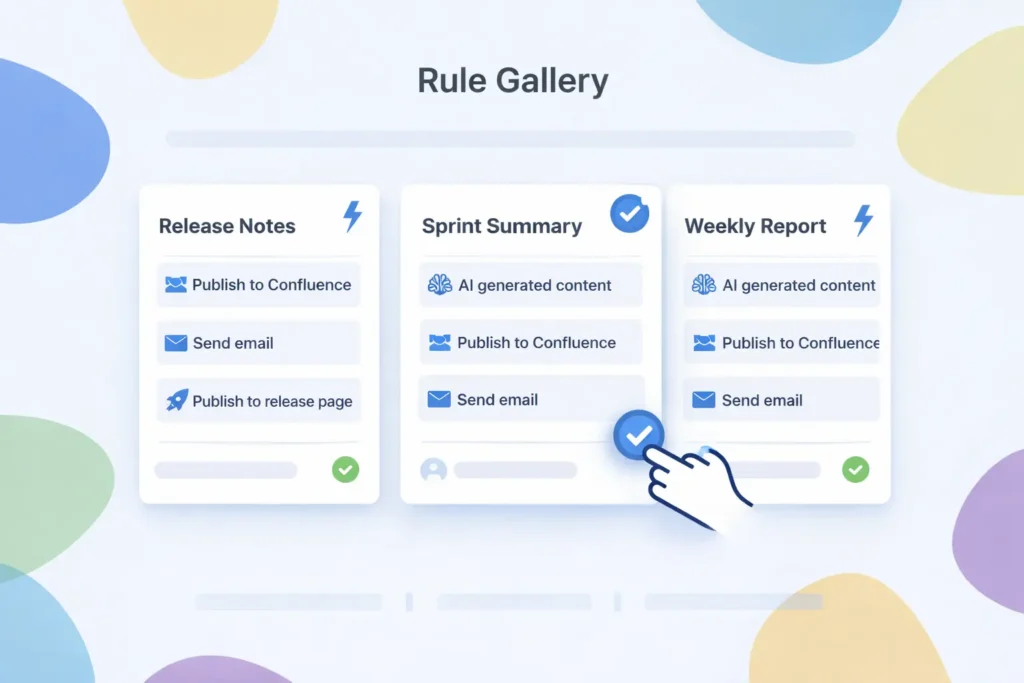
Just like the Template Gallery, the new Rule Gallery will offer a set of predefined rules you can use instantly. No more creating rules from scratch every time, just pick, apply, and go.
Backend and Database Migration
In the upcoming quarter, majority of our focus will remain on the backend and database migration to Forge. This work is aimed at moving data storage to the client side rather than ARNR servers, providing a level of data security comparable to Jira Data Center, while strengthening scalability and platform reliability.
This migration is a key part of our longer-term roadmap and will continue to progress alongside other ARNR enhancements.


Bringing It All Together
Last quarter’s releases focused on improving structure, flexibility, and transparency, while the upcoming roadmap continues to strengthen automation, AI capabilities, and platform scalability.
As ARNR evolves on Forge, with more integrations and smarter AI-driven features, our goal remains the same: make Jira reporting reliable, insightful, and effortless at scale.
We’re excited about what’s ahead and look forward to continuing this journey with you.
Stay tuned!