
A team becomes unstoppable when knowledge is easily accessible, updates speak for themselves, and collaboration occurs naturally.
Yet most Confluence workspaces fall short, as they feel cluttered, disconnected, or forgotten.
As the saying goes, “Information becomes significant only when it moves with your team, not ahead or behind.”
So, how do you make a Confluence space that is neat, communicative, and truly useful to everyone?
The answer is: Develop the proper habits, structure, and integrations to make your workspace work for your team.
In this blog, learn how to turn your Confluence workspace into a powerful, streamlined, and always-on hub for teamwork.
What Makes a Team Space Knowledge-Rich and Communication-Driven?
A Confluence team space is not just a standalone website. It’s your team’s home base for documents, data, and updates, and also a single, connected, private workspace that allows seamless collaboration anywhere. It reduces silos, cuts search time, and gives every team member quick access to key information.
Your Confluence workspace becomes fully connected, with real-time updates and informative documentation. It keeps things moving along and ensures that knowledge is always available when your team requires it.
6 Steps to Build a Knowledge-Rich and Communication-Driven Space in Confluence
Tools on their own cannot create a strong Confluence space. When teams document regularly, collaboration improves and knowledge flows smoothly. Here’s how to create habits that will make your Confluence space truly resilient:
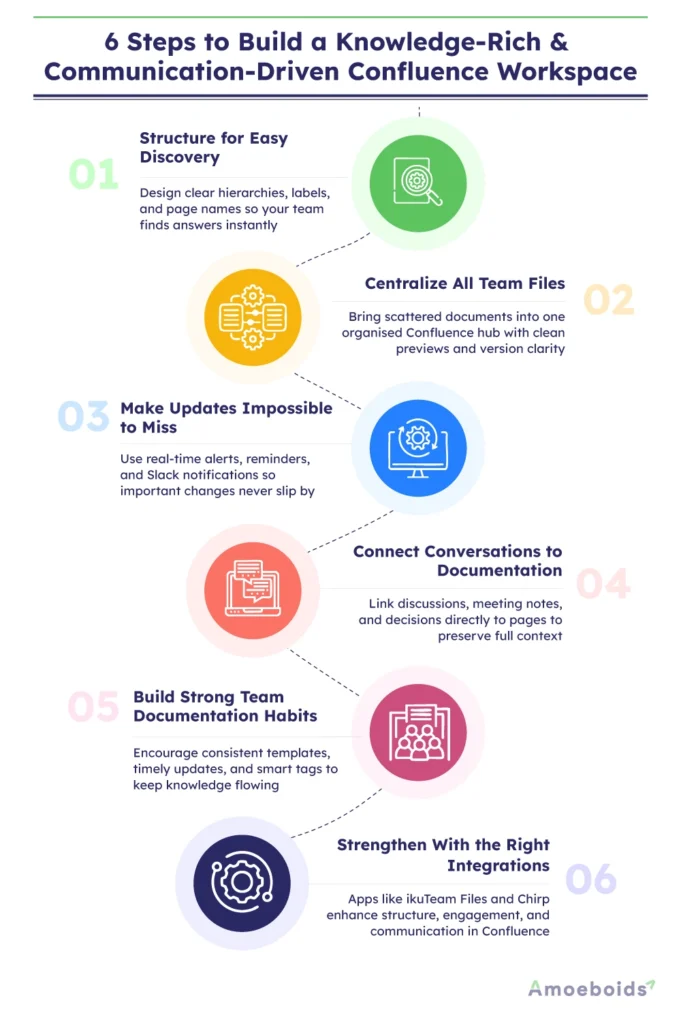
Structure Your Space for Easy Knowledge Discovery
Create your Confluence space as a guided path, not a rabbit hole, with clear hierarchies, descriptive page names, labels, and page trees. When everything feels easy, your team can find answers quicker and work more smoothly.
Bring All Your Team’s Files Into One Central Hub
Scattered files cause teams to work slower. When files are spread across Drive, Google Docs, Google Sheets, Slack, and emails, no one knows what’s new. However, imagine a single, organised space in Confluence where everything syncs, previews instantly, and remains version-clear. Finally, your file chaos is solved.
Make Updates Visible With Real-Time Communication
A communication-driven Confluence space keeps everyone on track, but updates are frequently lost. Get real-time alerts, Slack updates, and automated reminders when they are most important. It turns Confluence into a functional and always-on hub where important updates never fall through the cracks.
Connect Conversations With Documentation
Teams communicate through Slack, emails, and meetings, but those decisions frequently never reach Confluence, leaving the “why” behind. Attach discussions, notes, and feedback to specific pages to maintain context. Allow your workspace to tell the full story from start to end, not just the final draft.
Build Effective Team Habits for Ongoing Knowledge Flow
Tools don’t create a strong workspace, your team’s habits do. Encourage prompt post-meeting updates, new decision notes, consistent templates, and smart tags. When everyone sees Confluence as the go-to place to work, knowledge becomes clear and connected.
Integrations That Strengthen Your Confluence Workspace
Confluence workspace become further powerful with the right integrations. They remove manual effort, reduce context switching, and keep your team aligned without requiring extra work.
Apps that can help you to create a knowledge-rich and communication-driven space in Confluence include ikuTeam Files for Confluence and Chirp for Confluence by Amoeboids. They help to add structure, boost engagement, and provide real-time updates by simplifying files, connecting documents, and keeping teams fully informed.
Chirp app for Confluence: Teams often miss updates because they don’t see them in time. Chirp sends instant Slack alerts for every Confluence change, ensuring that the right people stay in sync without searching, delays, or communication gaps.
Key Benefits:
- Sends real-time Slack notifications for Confluence updates, removing the need for manual checks and ensuring that nothing is missed.
- Provides dedicated Team Channels and Community for arranging updates by department, project, or company-wide workflows.
- Automatically sends updates to the right audience, boosting collaboration and keeping conversations strategically rich.
- Creates a steady update flow that strengthens alignment across distributed and fast-moving teams.
ikuTeam Files for Confluence-Instead of chasing files across SharePoint, OneDrive, Google Drive, Dropbox, Box, or emails, ikuTeam Files brings all your cloud storage directly into Confluence. Files stay in their original location, always up to date, with live previews and in-page editing that keep teams aligned without switching tools.
Key benefits:
- Connects all your cloud storage in one place so teams always know where documents live.
- Provides live previews and inline editing for Office documents, PDFs, and media without downloads.
- Keeps a single source of truth by showing files from the cloud, not duplicating them in Confluence.
- Respects existing permissions, ensuring secure and reliable access for every team member.
- Simplifies navigation with a clean, familiar folder-style structure.
Best Practices for Enhancing Your Confluence Workspace
A sleek Confluence workspace is not a fluke. It grows as teams remain intentional. Here are some best practices for keeping your Confluence workspace organised, collaborative, and truly effective:
- Team-centric structure: Create your workspace based on your team’s workflows and daily needs. This means content feels intuitive instead of following default layouts.
- Clear and visual pages: Make it easier to scan information by using icons, tables, and diagrams. Visual elements help teams understand and act more quickly.
- Monthly cleanup: Every month, review your pages to remove clutter and outdated content. Regular cleanups improve accuracy and make knowledge easier to locate.
- Smart integrations: Connect apps such as ikuTeam Files and Chirp to boost knowledge management. Integrations reduce context switching by keeping everything in one place.
- Shared responsibility: Encourage everyone to help and constantly maintain the workspace. Shared ownership ensures that information remains current and relevant.
Pitfalls That Can Weaken Your Confluence Team Space
A Confluence space can enhance teamwork, but a few hidden pitfalls can quietly damage it. Here are some actions your team should avoid to keep collaboration smooth and stress-free:
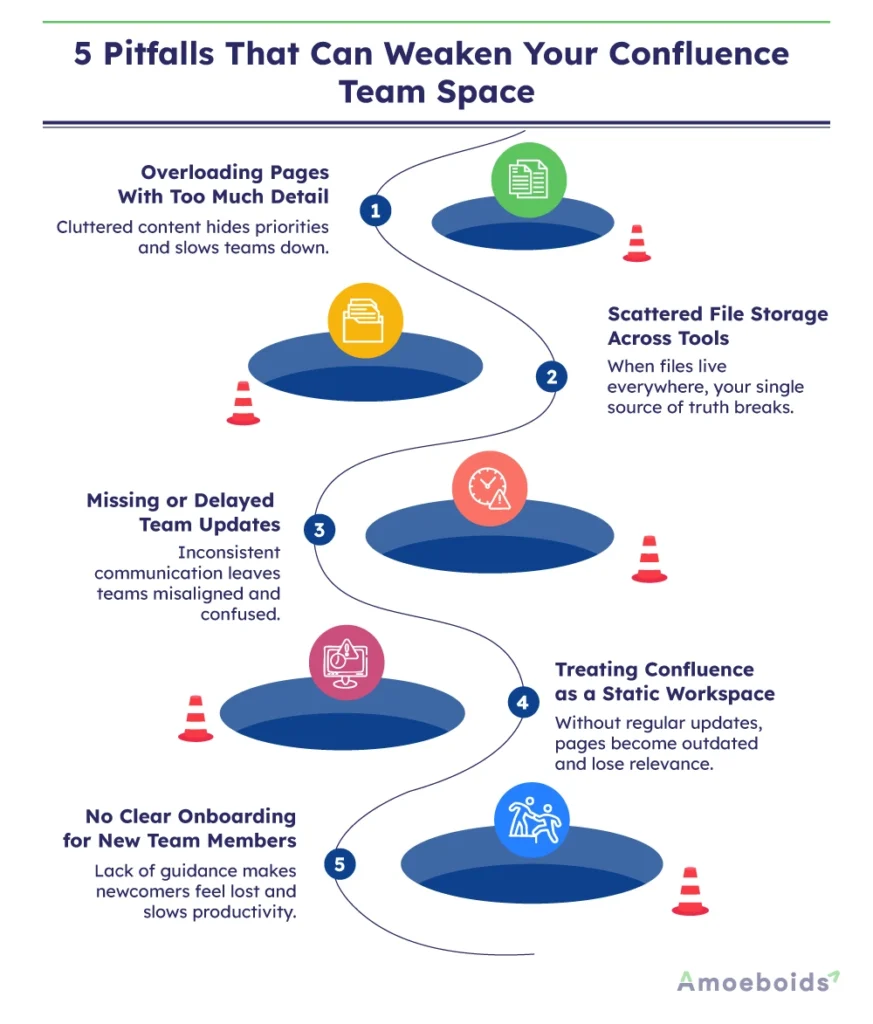
- Too much detail: Cluttered pages waste energy and blur priorities. Keep your content focused so teams can quickly understand what matters and take action.
- Scattered file storage: Scattered files can break your single source of truth. Automated storage saves time, removes ambiguity, and keeps everyone on track.
- Missed team updates: Missed Confluence updates may cause teams to become disoriented instead of informed. Consistent information helps everyone stay confident, coordinated, and moving.
- Static workspace mindset: A still Confluence workspace quickly becomes outdated. As teams and procedures change, your workspace must adapt with regular and thoughtful updates.
- No onboarding culture: New members feel lost without proper onboarding. A simple guide allows them to navigate confidently, settle quickly, and contribute efficiently.
Conclusion
A dynamic Confluence workspace isn’t created overnight. It succeeds when knowledge flows freely, updates stay visible, and teams make collaboration a daily habit.
When your space becomes a true work environment, collaboration feels natural, decisions become clearer, and teams move more quickly and confidently.
So, are you eager to switch your Confluence from a standard document store to a connected, communication-driven hub for your team?
Enhance it and turn your workspace into the collaboration-winning space your team deserves!