
Do you know that feeling you get when your to-do list and work notes are scattered across your laptop, emails, and mental reminders? Managing multiple projects with no real system leads to work slipping through the cracks, deadlines feeling like moving targets and inefficient productivity.
Kanban boards are an effective solution to all these issues. Instead of drowning in a sea of scattered tasks, you have a simple, visual way to track everything. Suddenly, work becomes smoother, bottlenecks are easier to spot and collaboration feels effortless with easy visualization of tasks.
Let’s break down what a Kanban board is and how it can help you control your workflow.
What is a Kanban board?
A Kanban board is a visual tool that helps teams organize and manage work by breaking it into columns representing different stages of progress. It was developed by Taiichi Ohno, an industrial engineer at Toyota, back in the 1940s. The company was looking to improve manufacturing efficiency by developing a visual system to manage workflow.
Today, Kanban boards are widely used to help teams across industries track tasks, spot bottlenecks, and keep work moving efficiently. The method is used by more than 97,000 employees at Apple alone.
Companies using visual project management techniques like Kanban report a 30% increase in productivity. 87% of respondents say that the Kanban board method was more effective in helping them manage their tasks.
Elements of a Kanban board
A Kanban board comprises a few core components that keep workflows structured and efficient. Each element plays a role in ensuring tasks progress smoothly.
- Columns: These represent different stages of work (e.g., To-Do, In Progress, Done). These columns provide a visual representation of a task’s journey through the process.
- Cards: The individual work items that flow through the board. Each card typically contains details like task descriptions, assignees, due dates, and priority levels.
- Work-in-Progress (WIP) limits: Caps on the number of tasks allowed in a column at any given time. These prevent team overload and help maintain efficiency.
- Swimlanes: Horizontal divisions categorize tasks by team, priority or project type. These help manage multiple workflows within a single board.
- Commitment point: The moment when a task is officially selected for work. This helps teams differentiate between planned and in-progress work.
- Delivery point: The final step is where a task is considered complete. Tracking the time between commitment and delivery is key for measuring efficiency.
A well-structured board ensures teams stay organized, avoid bottlenecks and continuously improve their workflow.
How to create a Kanban board explained in 5 easy steps
Let’s say you’re managing multiple projects, each with shifting deadlines, scope changing, and priorities. Follow these five steps to create an effective Kanban board and keep your work and deadlines organized:
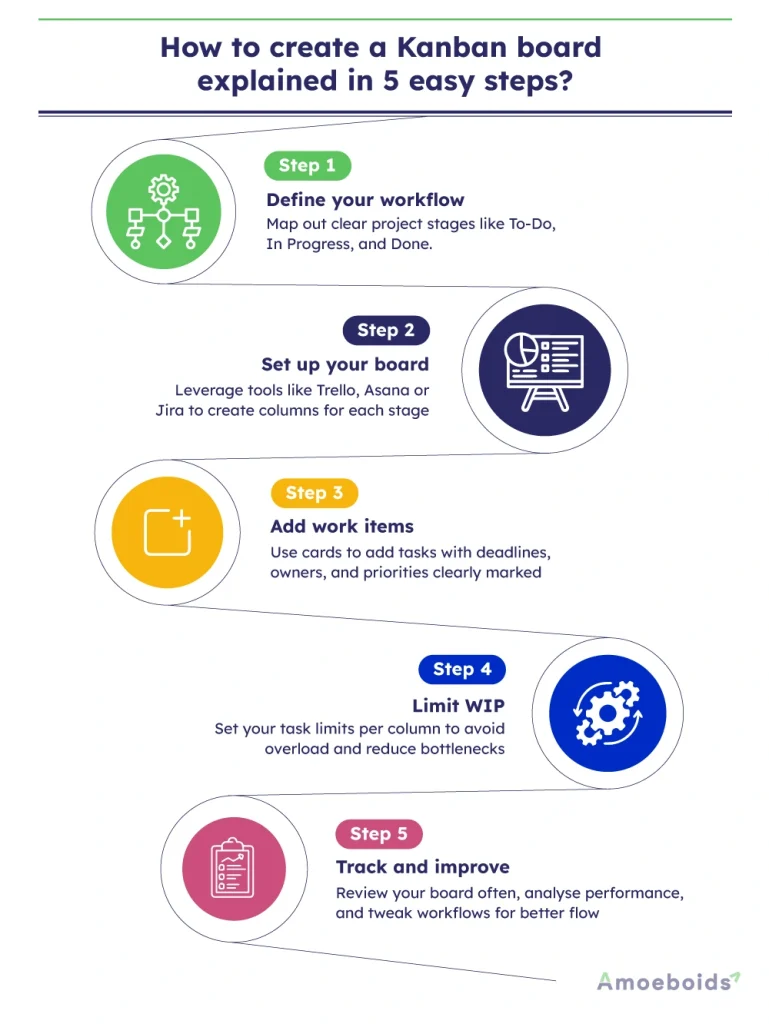
Step 1: Define your workflow
Identify the key stages and tasks to go through from start to finish. It can be “To-Do, In Progress and Done” or a more detailed process, defining these steps is important for everyone to follow and having transparency throughout the project.
Step 2: Set up your board
Create columns that reflect these stages. This can be done physically with a whiteboard or digitally using a Kanban tool like Trello, Jira, or Asana.
Step 3: Add work items
Then add tasks to your board using cards. Each card in Kanban view should clearly show the work status and include important details like deadlines, who’s responsible and the task’s priority.
Step 4: Limit WIP
Set practical limits for how many tasks can be in each column at once. By setting limits for the Kanban board, you can avoid bottlenecks and ensure that your team isn’t overwhelmed by having to juggle too many tasks simultaneously.
Step 5: Track and improve
One of the most important aspects of project management is tracking progress. That is why it is important to review your board regularly. Check how the workflow is performing and adjust your process as needed to keep things running smoothly.
Following these steps creates a system that keeps tasks moving. With your Kanban board in place, you’re all set to see how it can boost collaboration and productivity for your team.
Benefits of a Kanban board
Kanban boards improve the efficiency and accountability of every line item in the view. For example, managing a project with multiple feature requests, bug fixes and urgent customer issues can be complicated. Without a streamlined tracking and managing system, tasks will end up piling up, priorities will clash and you won’t be able to meet deadlines.
Now, imagine a Kanban board where requests are moved from “Backlog” to “In Progress” to “Testing” to “Released”. This structured flow ensures developers focus on the right tasks, QA teams test efficiently and customers get timely updates.
Besides helping to plan tasks, here are some hard benefits of having a Kanban board:
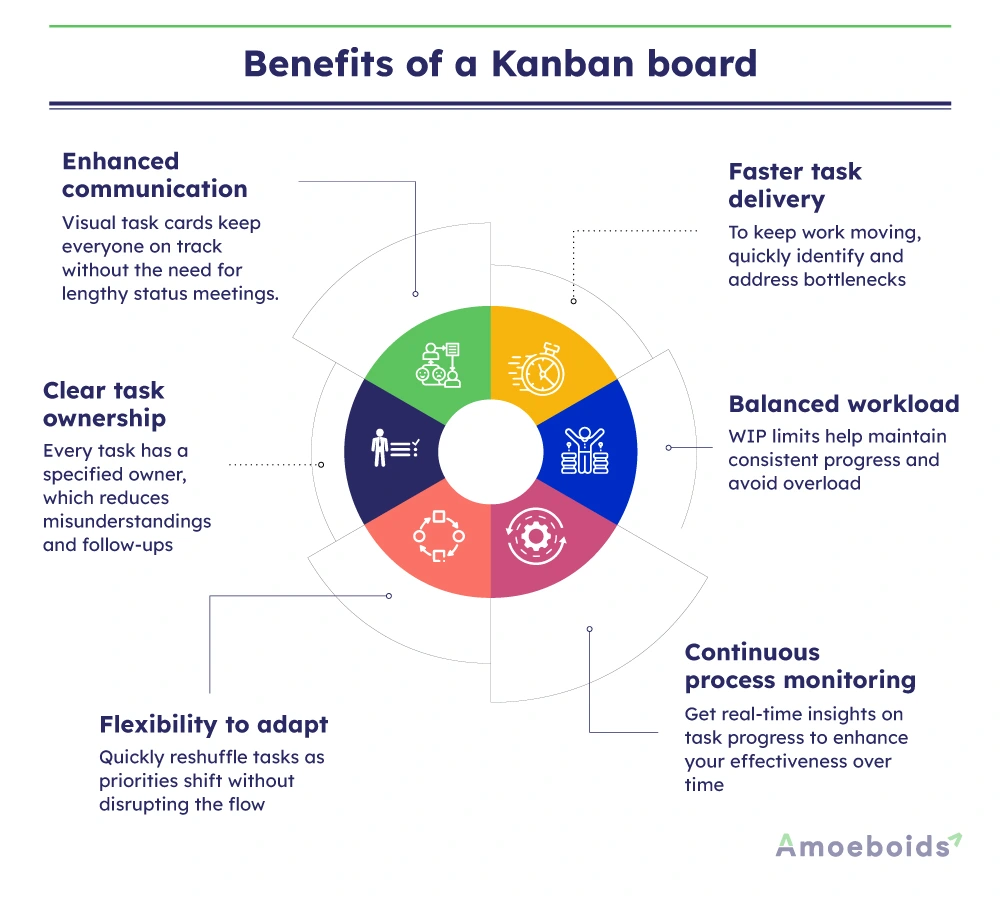
Enhanced communication
The visual display of tasks ensures that everyone on the team knows what is being worked on and what needs attention. When each card represents a task, it becomes easier for team members to discuss the progress without lengthy status updates.
Faster task delivery
When a lot of tasks start to accumulate in one stage specifically, the board will signal a blockage. This allows the team to address delays immediately, which helps keep the overall process on track.
Clear task ownership
Assigning a specific individual to each task means that responsibility is clearly defined. This will help reduce the need for repeated follow-ups and let team members focus on completing their work.
Balanced workload
You can limit the number of tasks that can be added in a single column, preventing teams from facing task overload. This approach will help maintain a sustainable work pace, especially during busy periods like product launches.
Flexibility to adapt
As priorities shift, the board can be quickly adjusted. If a new, critical feature emerges, tasks can be reallocated so that the most important work moves forward first.
Continuous process monitoring
On the Agile Kanban board, you can regularly review the board to see different task statuses. The view also offers detailed insight into the workflow, including the number of tasks, their status, due dates and more. This ongoing evaluation helps the team identify recurring challenges and refine their process, making future cycles smoother.
A Kanban board converts a potentially chaotic array of tasks into a well-organized system. It helps ensure that your team remains focused and that important tasks are not overlooked.
Kanban board examples
Customized Kanban boards offer role-specific layouts that help organize tasks clearly and keep teams focused. Here are a few examples:
Marketing campaign board


Marketing teams can design their boards to track the flow of content from idea to publication. A common setup includes columns labeled Campaign Ideas, Content Creation, Review, Approval, Scheduled, and Published. A marketing manager can coordinate a product launch campaign by assigning specific tasks, like publishing social media posts and creating blog articles, to team members. The board provides a clear overview of progress, which helps ensure that all content meets the planned deadlines and maintains consistency in messaging.
HR and recruitment board

For teams handling recruitment, a Kanban board can help monitor candidate progress through stages such as Job Posting, Applicant Sourcing, Interviews, Candidate Evaluation, Offer Extended and Hired. An HR manager can restructure the Kanban view or the cards in the board, after noticing delays in the interview scheduling. This adjustment clarifies each candidate’s status, reduces communication gaps and speeds up the hiring process.
IT support board

IT support teams can benefit from a board that tracks issues from receipt to resolution. Typical columns might include Ticket Received, Under Investigation, Awaiting Response, Resolved, and Closed. A support team can use this setup to assign ownership for each ticket and flag bottlenecks when issues linger too long in a particular stage, ensuring that customer problems are addressed promptly.
Personal productivity board

Even for individual task management, a Kanban board is valuable. A product manager might maintain a personal board with columns like To Do, In Progress, and Completed. This setup aids in prioritizing daily tasks and tracking accomplishments over time. Some professionals add extra sections for planning long-term projects or urgent tasks to better manage their daily workload.
Manufacturing and supply chain board

In manufacturing, boards can be arranged with columns such as:
- Order Received
- Production
- Quality Check
- Packaging
- Shipped
A production manager can use the board to monitor real-time progress on assembly lines. When any delays occur, like in the quality check stage, the visual cue will prompt a quick review of the process, leading to adjustments that keep the shipment schedule on track.
Different roles require boards that address their unique challenges. Software teams may benefit from separating urgent bug fixes from routine development tasks, while marketing boards might focus on tracking content flow and ensuring timely approvals. You can customize your boards to reflect specific workflow stages, provide clarity and help teams address bottlenecks promptly.
Kanban vs. Scrum: What are the differences?
Both Kanban and Scrum are Agile frameworks designed to improve productivity and workflow efficiency, yet they cater to different work styles and team structures. Kanban offers continuous workflow monitoring, management and flexible planning; Scrum provides a structured approach with defined roles and set iterations.
For example, a product manager handling ongoing feature updates and urgent bug fixes may opt for Kanban to adjust priorities on the fly. Conversely, when working on a new product feature with a clear deadline, Scrum’s sprint cycles and dedicated roles can help maintain focus and deliver consistent results.
Below is a table summarizing the key differences between Kanban and Scrum:
| Kanban | Scrum |
|---|---|
| Continuous workflow without fixed iterations. | Work organized into fixed-length sprints. (e.g., 2-4 weeks) |
| Enforces explicit WIP limits to manage workload. | Uses a sprint backlog with committed tasks for the duration of the sprint. |
| There are no predefined roles; team members self-manage tasks. | Everyone has defined roles such as Scrum Master, Product Owner and Development Team. |
| Planning is ongoing, just-in-time planning; tasks are added as capacity allows. | Requires sprint planning sessions at the start of each sprint. |
| Meetings are scheduled as needed without mandatory rituals. | Regular events including daily stand-ups, sprint reviews and retrospectives. |
| High flexibility; tasks can be reprioritized anytime. | Changes are limited during a sprint; adjustments are made in subsequent sprints. |
| Emphasizes cycle time and overall throughput. | Focuses on sprint velocity and progress using burndown charts/ |
In practice, if your team handles a variety of incoming requests and needs to respond to changes immediately, Kanban’s visual workflow and WIP limits can prevent overload and ensure steady progress. On the other hand, when developing a complex new feature, Scrum’s structured sprint planning and review processes help the team maintain clear objectives and track measurable progress throughout each cycle.
Both methods offer practical frameworks for managing work efficiently, and understanding their differences can help you select the one that best suits your project management needs.
Get your workflow flowing
Kanban boards have come a long way since their origins in Toyota’s manufacturing system. Today, they offer a practical and adaptable way to manage work in various environments. With clear visual cues that show task status, well-defined stages and limits on work in progress, Kanban boards help teams reduce bottlenecks, maintain balanced workloads and improve overall efficiency.
Kanban not only supports efficient task management but also promotes continuous improvement by highlighting opportunities to refine the workflow.
FAQs
Why do Kanban boards cost money?
Many digital Kanban tools offer premium features like analytics, integrations and automation, which come at a cost. Free versions exist but may have limitations on team size and board functionality.
How to show a thumbnail in the board view in Kanban Notion?
To display a thumbnail, ensure the property type for images is set to “File & Media” and that the gallery or board view is configured to display cover images.
Are tasks associated with issues on a Kanban board?
Yes, tasks on a Kanban board can be linked to specific issues, especially in software development, where each task represents a user story, bug fix, or feature update.
What is one way Kanban boards are used in SAFe?
In SAFe (Scaled Agile Framework), Kanban boards are used at different levels – team, program and portfolio – to visualize workflows, manage backlogs and ensure continuous delivery of value.
Can you have multiple Kanban boards in Jira?
Yes, Jira allows multiple Kanban boards, each customized for different teams or projects, enabling better workflow management across departments.
How does a Kanban board work?
A Kanban board visually represents work in progress, using columns to track tasks from start to completion. This helps teams manage workload, spot bottlenecks and improve efficiency.