Confluence Release Pages Report
Turn a release into a single shared summary with
role-based links, ensuring that everyone finds exactly
what they need.
What is a Confluence Release Pages Report?
A Confluence Release Pages Report summarises a release once, then routes each reader to what they
need. It opens with status, owner, and a plain-English summary everyone can follow. Then it points
developers, project teams, and support to their own deeper resources.
This is not a single document that aims to serve everyone in the same way. It's a single shared entry
point that branches based on the reader's actual needs. Developers receive the changelog, project
teams receive the Confluence page, and support is contacted directly.
Who should receive it?
Anyone in the organisation who touches or is affected by a release.

All stakeholders
No single role, everyone reads the same page.

Organisations
Uses it as the shared internal record of what was shipped and when.

New hires and cross-team members
Catches up on a release without five reports explained.

Support and customer-facing teams
Wants one place to point to when asked what changed.
When should it be sent?


At the end of every
release cycle
published as the shared record everyone can open.

When a release touches
multiple teams
so no one reads a version written for someone else.

At
onboarding
as reference material for anyone joining after the release is already shipped.

When a stakeholder asks where to find out what
was shipped
one link, not five.
Essential sections, with examples
Six sections, moving from release facts to where each reader should go next.

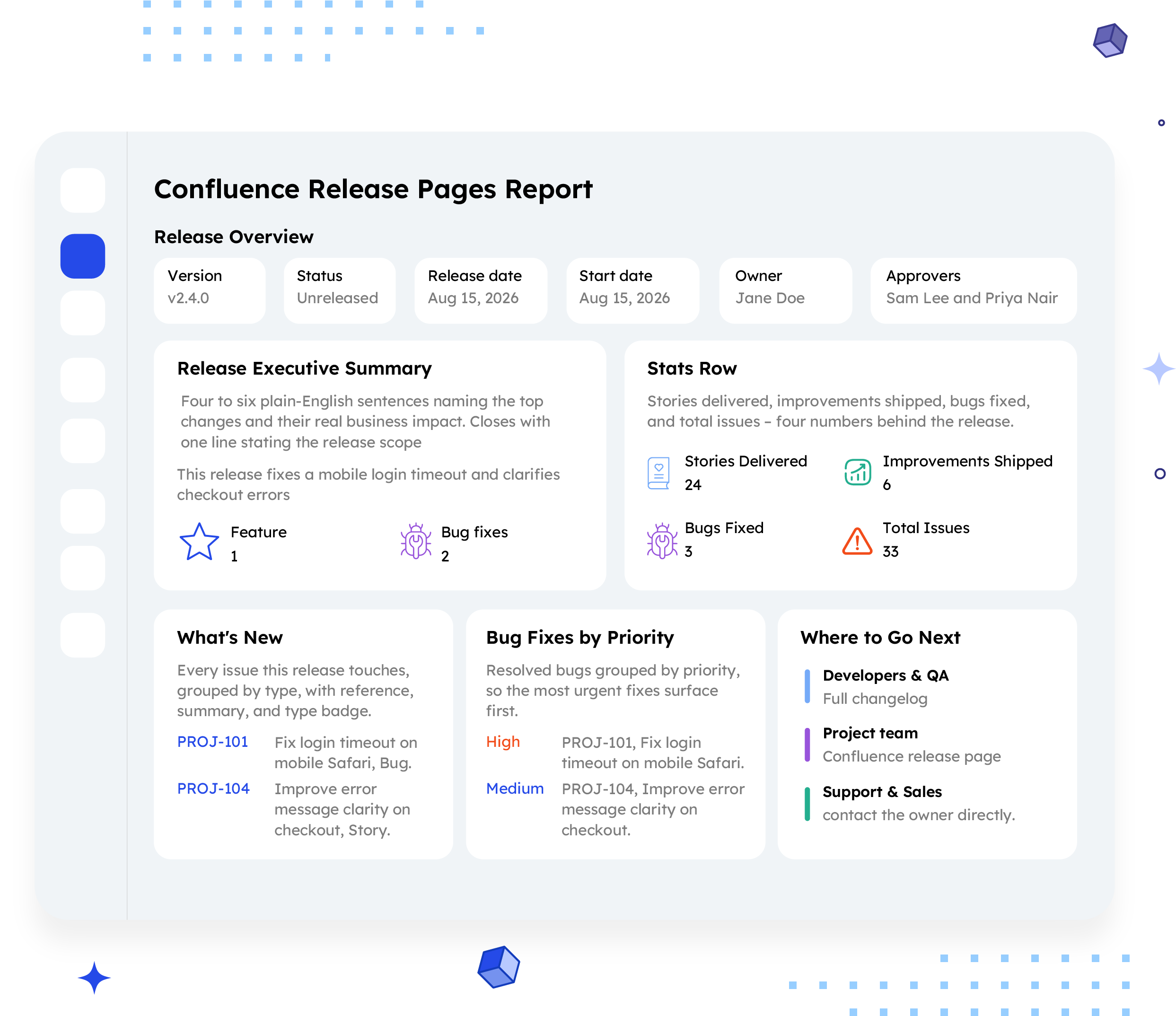
Release Overview
Version, status, release date, start date, owner, approvers, and a plain description of the release's full identity.
Example:
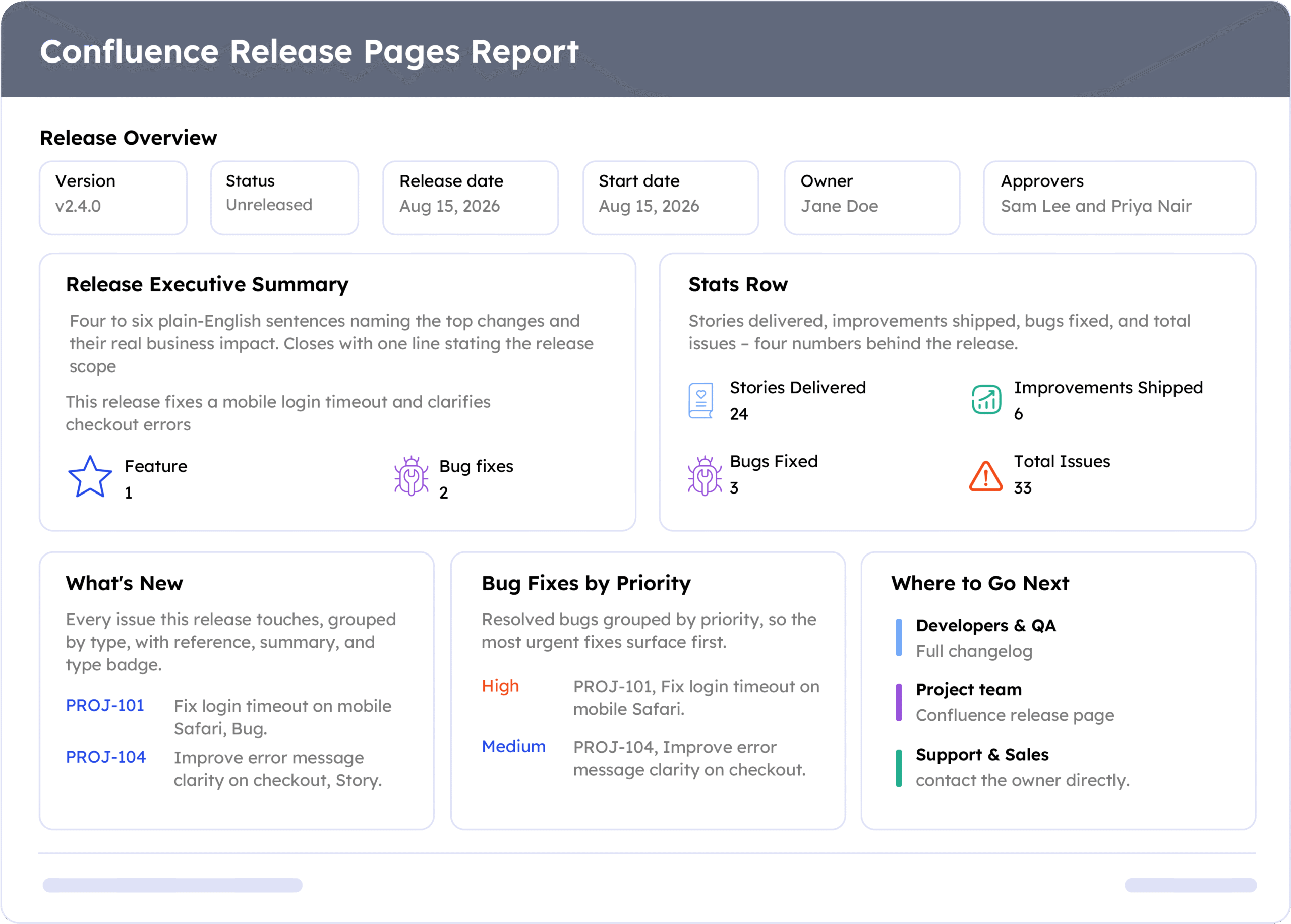
v2.4.0, Unreleased, Aug 15, 2026, owned by Jane Doe, approved by Sam Lee and Priya Nair.

Release Executive Summary
Four to six plain-English sentences naming the top changes and their real business impact. Closes with one line stating the release scope.
Example:
"This release fixes a mobile login timeout and clarifies checkout errors. It includes 1 feature and 2 bug fixes across 2 areas."

Stats Row
Stories delivered, improvements shipped, bugs fixed, and total issues – four numbers behind the release.
Example:
24 Stories Delivered, 6 Improvements Shipped, 3 Bugs Fixed, 33 Total Issues

What's New
Every issue this release touches, grouped by type, with reference, summary, and type badge
Example:
PROJ-101, Fix login timeout on mobile Safari, Bug. PROJ-104, Improve error message clarity on checkout, Story.

Bug Fixes by Priority
Resolved bugs grouped by priority, so the most urgent fixes surface first.
Example:
High, PROJ-101, Fix login timeout on mobile Safari. Medium, PROJ-104, Improve error message clarity on checkout.

Where to Go Next
Role-based links so every reader finds their own version of the release in one place.
Example:
Developers & QA, full changelog. Project team, Confluence release page. Support & Sales: contact the owner directly.
Common mistakes

Writing for one audience only.
If only engineers follow it, it fails its purpose.
Vague executive summary.
Phrases like "various updates" tell a stakeholder nothing useful.
No role-based routing.
A shared page still needs to point each reader somewhere specific.
Skipping the plain- English scope line.
Readers need the one-sentence total, not just a list.
Publishing once and never updating.
A stale status undermines trust in the whole page.
Example report
A real report, recreated here from a live ARNR export. Swap in a full screenshot once the final export is ready.
How to automate it with ARNR
Three steps replace the manual work of writing a shared page for every release.
Connect Jira and Confluence
Link both to ARNR once. It reads release data directly.
Pick the release
Choose the release and select this template from the library.
Get your page
ARNR builds the summary, stats, and routing links, then publishes to Confluence.