Internal Release Notes Report
Turn a sprint's worth of merged tickets into one
clear engineering record: what shipped, what
changed under the hood, and who owns it.
What is an Internal Release Notes Report?
An Internal Release Notes Report summarises every ticket shipped in a release cycle for an engineering audience. Each entry includes the ticket ID, summary, the actual technical change made, and why it matters at the system level, allowing engineers to see what changed without reopening each ticket.
It preserves the technical details, components affected, root cause, and implementation approach. This gives developers the full context in one place without having to dig through commit history or ticket threads.
Who should receive it?
Anyone who needs the technical record of what shipped, not the customer-facing summary.

Engineers and developers
The primary reader. Needs the actual technical change and its system-level impact to build on it safely.

Tech leads
Use it to confirm what merged matches what was planned and to spot risk introduced by a change before it surfaces downstream.

QA
Refer to it to know exactly what changed at the code level when validating a release.

Engineering managers
Wants a fast read on release scope and any flagged risk without pulling every ticket individually.
When should it be sent?


At the end of each
release cycle
the internal counterpart to the customer-facing notes is generated using the same window.

Prior to a QA
handoff
so that instead of testing blindly against the entire codebase, testers are aware of exactly what has changed.

When a change carries downstream risk
it is flagged explicitly so on-call and dependent teams aren't caught off guard.

At sprint retro or
release retro
as the record of what was actually shipped versus what was planned.
Essential sections, with examples
Six sections, moving from release context to individual ticket detail.

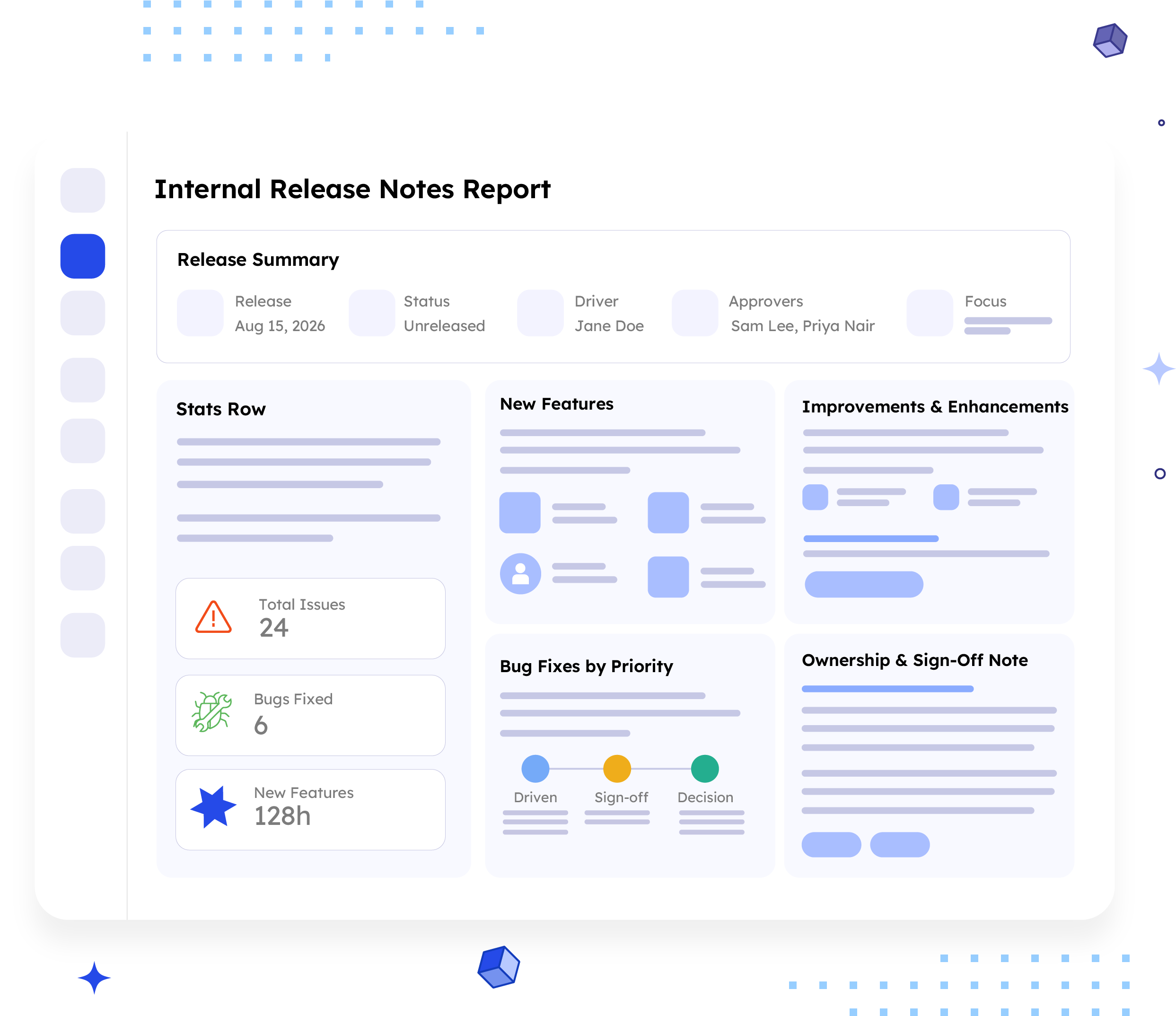
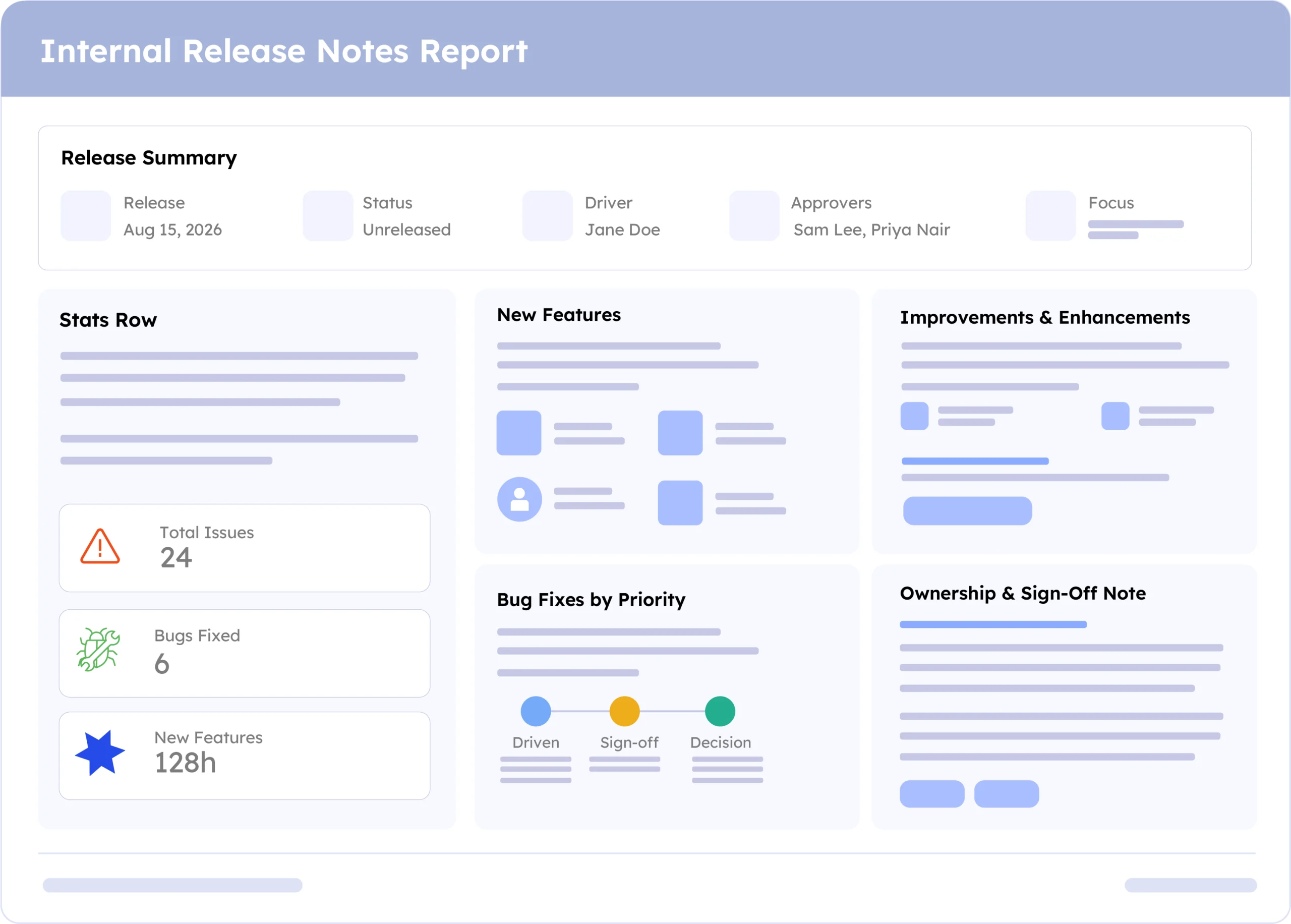
Release Summary
Release date, status, driver, approvers, a plain-language description of the release's focus, and a link to the full release page, the block that frames ownership and intent before any ticket is read.
Example:
Release: Aug 15, 2026 · Status: Unreleased · Driver: Jane Doe · Approvers: Sam Lee, Priya Nair · Focus: Checkout stability and mobile performance.

Stats Row
Total issues, bugs fixed, and new features in the release, with three numbers linked back to Jira so the scope is visible before reading a single card.
Example:
Total Issues 24 · Bugs Fixed 6 · New Features 128h

New Features
Every new capability shipped, grouped by issue type, each card showing ticket key, summary, assignee, and status.
Example:
PROJ-101, Fix login timeout, Assignee Jane Doe, Status In Progress

Improvements & Enhancements
Existing functionality refined this cycle, each card carrying a combined Technical Change & Why It Matters block alongside assignee and status.
Example:
PROJ-104, Improve error message clarity on checkout, Technical Change & Why It Matters: {description}, Assignee Sam Lee, Status Done

Bug Fixes by Priority
Resolved issues are prioritised, with serious fixes first, each showing its ticket key, summary, technical change, and impact.
Example:
High · PROJ-101, Fix login timeout, Assigned to Jane Doe, Status in Progress.

Ownership & Sign-Off Note
Names release owners and approvers, links supporting resources, and directs questions to the engineering channel instead of reopening closed tickets.
Example:
This release is driven by Jane Doe, with sign-off from Sam Lee and Priya Nair. Please direct questions to the engineering channel.
Common mistakes

Simplifying away the technical detail
This is not a customer report, and removing component names, root causes, or implementation approaches defeats the purpose.
No status or ownership per entry
An engineer reading the report needs to know who to ask, an entry with no assignee is a dead end.
Skipping risk flags
If a change affects shared infrastructure or carries downstream risk, it must be visible and not hidden in the technical description.
Mixing customer-facing framing in
Phrases like "why it matters to you" belong in the customer report. Here, "why it matters" means system impact, not customer benefit.
Treating it as a copy of the commit log
A list of commit messages isn't a release note; it still needs a summary and root cause, not just a diff reference.
Example report
A real report, recreated here from a live ARNR export. Swap in a full screenshot once the final export is ready.
How to automate it with ARNR
Three steps replace the manual work of compiling a technical changelog from merged tickets.
Connect Jira
Link your Jira project to ARNR. It reads tickets, status, and fix version directly.
Pick the release window
Choose the release or date range and select this template from the library.
Get your report
ARNR organises tickets into features, improvements, and fixes while preserving technical detail for easy sharing.