Executive Release
Summary Report
Turn a release cycle into a one-page leadership
briefing, scope, ownership, and the one decision
leadership needs to make.
What is an Executive Release Summary Report?
An Executive Release Summary gives leadership a one-page briefing on a release, its ownership, and
its business impact. It lists the release, the driver, the approvers, and the expected ship date all in one
glance. Then it states what shipped, why it is important, and whether the timeline is on track.
An Executive Release Summary zooms out to business impact and decision-readiness. It answers a
different question than a status update: not "what changed in the code?" but "does leadership need
to act before this ship, and what happens if they don't?"
Who should receive it?
Anyone responsible for the business outcome of a release, not its execution.

Executives and
leadership
Wants scope, risk, and the exact decision needed, in under a minute.

Release drivers and approvers
Uses it to confirm sign-off status and flag blockers before the ship date.

Founders and board members
Reference it for a clean, non-technical view of product progress, release over release.

Cross-functional leads (Sales, CS, Support)
Wants the headline outcome so they can speak to it without opening Jira.
When should it be sent?


At the end of every release cycle
the leadership-facing counterpart to the engineering report, generated from the same window.

Ahead of a go/no-go decision
so leadership can confirm or block the release date with full context.

When sign-off is still pending
flagged clearly so approval doesn't get missed before ship day arrives.

When a release ties to a business commitment
a launch, a renewal, or a customer-facing promise worth tracking.
Essential sections, with examples
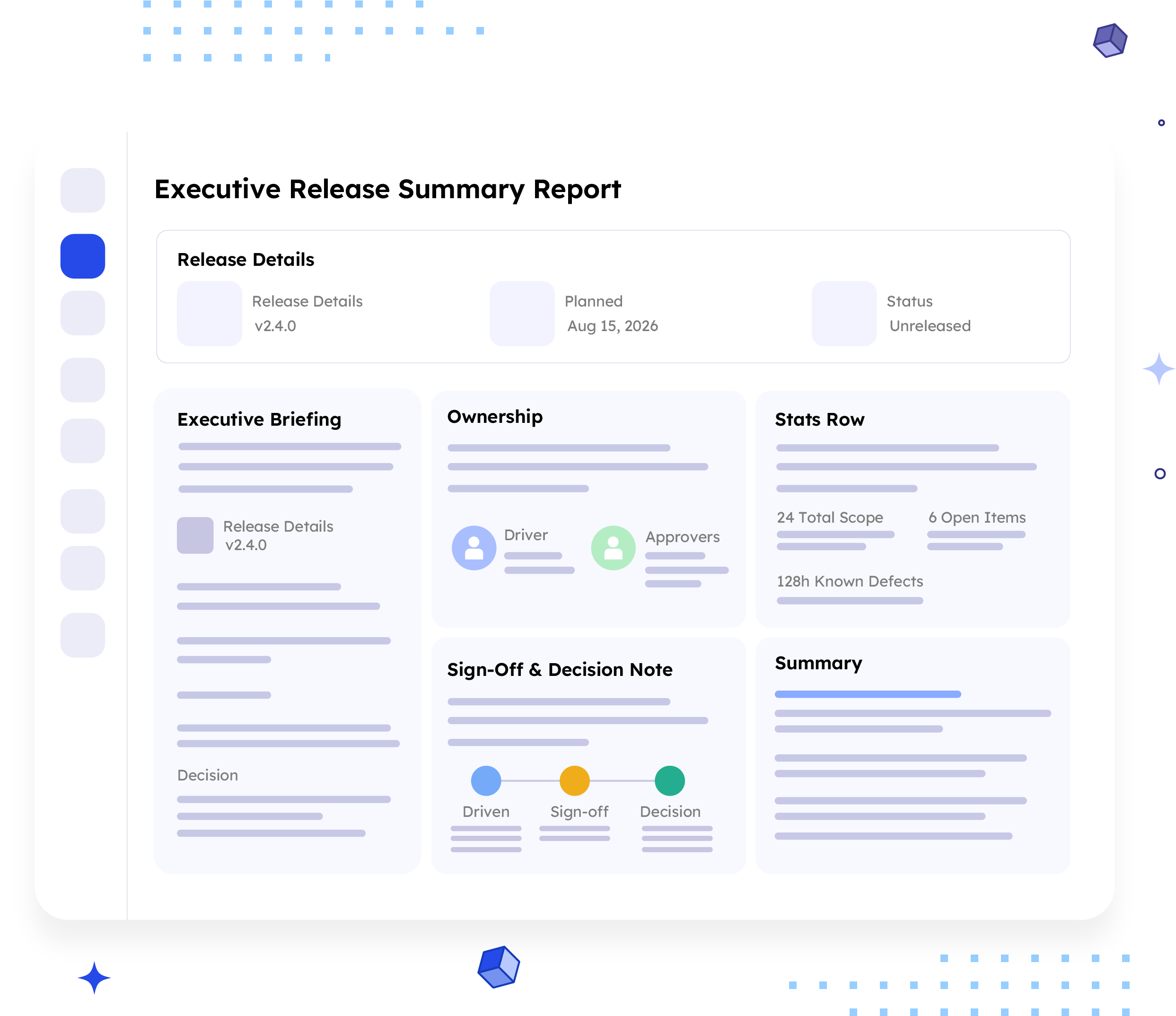
Six sections, moving from release facts to what leadership should do next.

Release Details
Release name, planned ship date, and current status, the basic identity of the release.
Example:
v2.4.0 · Planned Aug 15, 2026 · Status
Unreleased

Ownership
Driver and approvers, the people accountable for the release and its sign-off.
Example:
Driver Jane Doe --> Approvers Sam Lee,
Priya Nair

Executive Briefing
Four sentences: what shipped, why it matters, timeline status, and the decision needed.
Example:
v2.4.0 — "Delivers a more reliable mobile checkout experience, protecting customer retention this quarter. "ON TRACK, most issues are already done. Decision: confirm go/no-go by Aug 15, 2026.

Stats Row
Total scope, open items, and known defects, the three numbers behind the headline.
Example:
24 Total Scope (all issues in the release) · 6
Open Items (still in progress) · 128h Known
Defects (logged this cycle)

Sign-Off & Decision Note
One closing line connects the driver, the approvers, and the decision deadline.
Example:
Driven by Jane Doe -> Sign-off needed from Sam Lee, Priya Nair -> Decision due Aug 15, 2026.

Summary
A short closing statement tying status, risk, and timeline together, and naming the one action leadership should take next.
Common mistakes

Including ticket-level detail.
Ticket IDs and component names belong in the engineering report, not this one.
Vague status without a reason.
ON TRACK or AT RISK with no cause attached leaves leadership guessing.
No clear decision requested
If leadership needs to act, name the exact decision and the deadline.
Skipping the sign-off names.
Leadership needs to know exactly who still needs to approve the release.
Trying to cover everything
This report summarises and points elsewhere; overloading it defeats the purpose.
No conclusion
Ending on a stats row leaves the reader without a clear "here's what happens next."
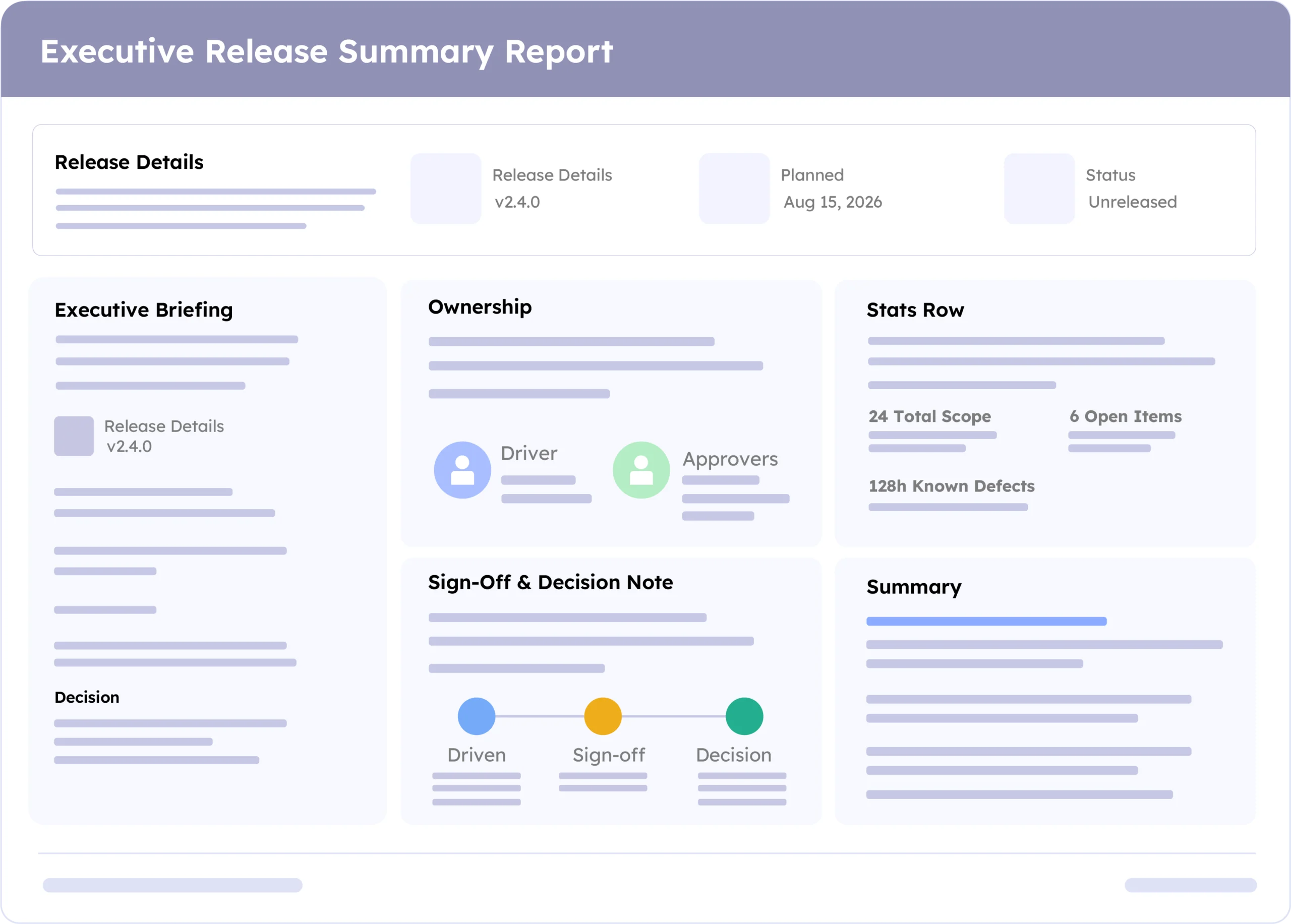
Example report
A real report, recreated here from a live ARNR export. Swap in a full screenshot once the final export is ready.
How to automate it with ARNR
Three steps replace the manual work of writing a leadership update from scratch.
Connect Jira
Link your Jira project to ARNR. It reads scope, status, and sign-off directly.
Pick the release window
Choose the release or date range and select this template from the library.
Get your report
ARNR generates the executive briefing, stats, and sign-off note, ready for a leadership sync.