Work Insight
Report
Turn a single Jira issue into an executive-ready
briefing, what happened, who it affects, and where it
stands, sent like a memo instead of buried in a ticket.
What is a Work Insight Report?
A Work Insight Report summarizes a single Jira issue for people who won't open Jira to understand it, its
executive summary, customer impact, business impact, related issues, and a resolution timeline, written in plain
language and delivered like a memo.
Work Insight Report zooms all the way in, to one significant issue, usually a bug, incident, or escalation, that
leadership or a customer needs explained without the ticket-speak. It answers the question a raw Jira issue
can't: what does this actually mean for the business, and for the customer?
Who should receive it?
Anyone who needs to understand the impact of one issue without digging
through comments and linked tickets.

Executive stakeholders
Get the business impact and
current status without needing
Jira context.

Customer-facing teams
Use it to answer "what happened
and what are you doing about it"
accurately.

Engineering and support leads
A shared, non-technical framing to align with leadership before a call.

The named customer or account
When the issue directly affects
one client, this becomes the
update they see.
When should it be sent?


When an issue is escalated
leadership asks about it before you've had time to write a summary by hand

After root cause is identified
so the "why" is documented while it's fresh, not reconstructed later

At resolution
closing the loop with a clear timeline from creation to release

When a customer is
directly impacted
and needs a formal, written account
of the issue

On a recurring cadence for
high-priority issues
so a Blocker or Critical ticket doesn't go quiet
between updates
Essential sections, with examples
Five sections, each answering a different "so what."

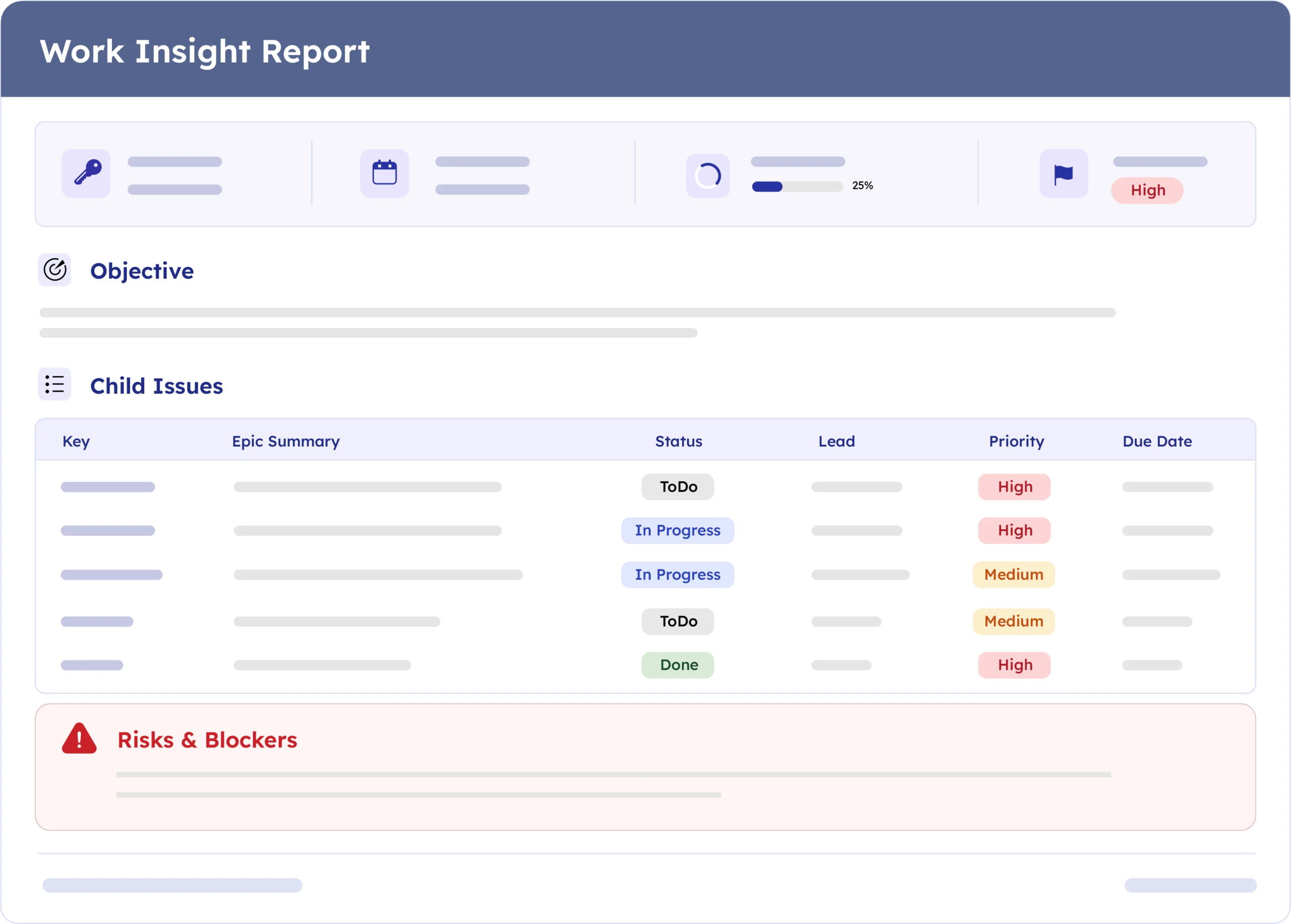
Issue Header
Issue key, priority, status, assignee, named customer, and release date, the block that orients the reader before anything else.
Example:
ACM-16 · In Progress · Assignee: Dan · Release Date 03-2026-27

Executive Summary
A short, plain-language framing of what the issue is and why it exists, written for someone who has never seen the ticket.
Example:
"Aims to replace manual or heavily customized reporting with automated, audience-specific templates."

Customer & Business Impact
Two distinct angles, what the customer experiences, and what it means operationally. Leaving either blank is fine, but flag it rather than omit it.
Example:
"Current reliance on manual report creation indicates operational inefficiency and variability in stakeholder communications."

Related Issues
Linked bugs and stories grouped by type, with priority and status, so the reader can see the full blast radius of the issue.
Example:
Bug ACM-14, Template formatting breaks on export, Blocker, To Do

Timeline
A short sequence from creation to resolution, so the reader can see pace, not just current state.
Example:
Created 01/03/2026 --> Investigation Started 03-2026-03 --> Release Completed 03-2026-27
Common mistakes

Writing it like a ticket, not a memo.
If it reads like a Jira export, the executive reading it will bounce off in the first line.
Leaving impact fields blank with no explanation
"Not enough information available" is fine once, written deliberately, it's very different from just leaving a section empty.
Skipping related issues.
A single-issue report that hides its dependencies makes the problem look smaller than it is.
No timeline.
Without creation-to-resolution dates, a reader can't tell if this took two days or two months.
Addressing no one.
A report that doesn't open like it's written to a specific team or person reads like an export, not a briefing.
Reporting too late.
Sending the insight report only after everything is resolved defeats its purpose as an escalation tool.
How to automate it with ARNR
Three steps replace the write-up that usually happens by hand after an escalation call.
Connect Jira
Link your Jira instance once. ARNR reads the
issue, its linked issues, and its history directly.
Pick the issue
Choose the issue by key and select this
template from the library.
Get your report
ARNR drafts the executive summary and impact sections from the issue's fields and comments, builds the timeline, and hands you a PDF or a live link to share.