
Keeping projects on track is tough for Agile managers. Priorities shift fast. Sprints move even faster. With 82% of companies using project management software, the question is no longer whether to use one or not, but which will best support the way Agile teams work.
The right software brings order to backlogs, clear visibility across tasks, and fewer follow-ups. For small teams, it adds structure without killing flexibility. Yet many still rely on scattered tools or free trials that expire halfway through a sprint.
This blog is for you if you’re looking for the best free project management software that actually works in Agile workflows. You’ll learn how to choose the right tool, get practical setup tips, and walk away with tried-and-tested options.
Introduction to the best free project management software
Project management tools can help your teams plan, organize, and track their work. In Agile environments, these tools provide a digital workspace where user stories are broken down, tasks are assigned, and progress is visualized across sprints.
When your team’s focus is split across tools that don’t communicate with each other, even simple tasks start to take up your time. That’s where the right free project management software can make a difference. Choosing the right one early can save you time, energy, and avoidable confusion.
Key features of free project management software
Look for the following things before choosing the best project management software for your team:
Task creation and assignment – Break down work into clear, actionable tasks. Assign owners, set due dates, and track all the tasks assigned to your different team members.
Backlog management – Keep your user stories and upcoming work organized in one place. It’s easier to run productive sprint planning sessions when priorities are clear.
Collaboration tools – Tag teammates, leave comments, or attach updates directly to tasks. No need to chase updates over email or ping everyone on Slack.
Multiple project views – Some teams think in lists, others prefer timelines or boards. The best free product management software lets you switch views without losing context.
File sharing and attachments – Whether it’s a spec, design mockup, or customer feedback doc — attach it right where the work happens. No more digging through folders.
Activity history – See who made what change and when. Helps you stay accountable and reduces miscommunication across distributed teams.
Basic reporting and insights – Get a snapshot of how your sprint is going. Look at completed vs. pending tasks, or velocity across sprints — even if the reports are minimal.
Mobile-friendly access – You cannot have access to your laptop all the time, so good tools should have a good mobile user interface. Good tools let you check tasks, update status, or reply to comments from your phone.
Next, let’s look at examples of free project management software.
Top free project management software for small businesses
These free project management software tools are ideal for startups and lean teams that need structure and have a limited budget. They focus on simplicity and ease of use.
1. Trello (Free plan)
Trello’s card-and-board system is perfect for visualizing tasks and workflows. Small teams love it for sprint planning, backlog management, and simple to-do lists.
Ideal for: Founders, marketers, and lean product teams who prefer a visual-first interface.
2. ClickUp (“Free Forever” plan)
ClickUp offers surprising flexibility for a free plan. It lets you build views based on tasks, timelines, or Kanban boards, making it a solid choice for teams working on multiple projects.
Ideal for: Small cross-functional teams needing project and task visibility.
3. Notion (Free plan)
More than a project management tool, Notion doubles as a knowledge base. For small businesses that value centralized documentation alongside sprint planning, it’s a solid choice.
Ideal for: Teams combining documentation with simple project workflows.
4. Apps by Amoeboids (Free trial and free app component)
If your team works within Jira and follows Agile practices, Amoeboids offers a powerful layer of project visibility and sprint-specific features.
Free resource includes: Offers a 30-day free trial for its Automated Release Notes & Reports for Jira app. The app supports:
- Generating customizable release notes (email, PDF, Confluence, Slack, etc.)
- Automation rules are triggered by version release or scheduled tasks.
Screenjar for Jira is also a free offering by Amoeboids that allows screen recordings and annotated screenshots directly within Jira issues or JSM tickets.
Ideal for: Startups already using Jira or planning to scale into it.
Best free project management software options for teams
These tools are suited for larger or more structured teams looking for powerful features, integrations, and collaborative flexibility, without the cost.
1. Asana (Free “Personal” plan)
Asana helps growing teams plan sprints, monitor task dependencies, and manage timelines. Its free tier supports basic Agile workflows with great team visibility.
Ideal for: Product and operations teams managing multiple epics or initiatives.
2. Jira (Free cloud plan)
Jira is built for Agile teams. The free plan allows up to 10 users and includes essential Agile boards, backlog management, and customizable workflows.
Ideal for: Software and product development teams practicing Scrum or Kanban.
3. Wrike (Free plan)
Wrike’s strength lies in task hierarchy and real-time collaboration. Its dashboards and analytics features make it appealing for mid-sized Agile teams.
Ideal for: Teams that manage multiple workstreams or clients simultaneously.
4. Teamwork (Free plan)
Teamwork is especially helpful if you’re managing external clients along with internal teams. It’s one of the few free tools that include built-in time tracking and task lists. You can add up to 5 users and run a limited number of projects.
Ideal for: Agencies or service-based teams balancing internal and client projects.
Now that you know the key features of the best free project management software and have seen a cross-section of the options available in the market, let’s consider choosing a tool that’s the right fit.
How to choose the best free project management software for your needs
You don’t need a hundred features; you just need the ones that help your team move work forward. Here’s how to find the one that fits:
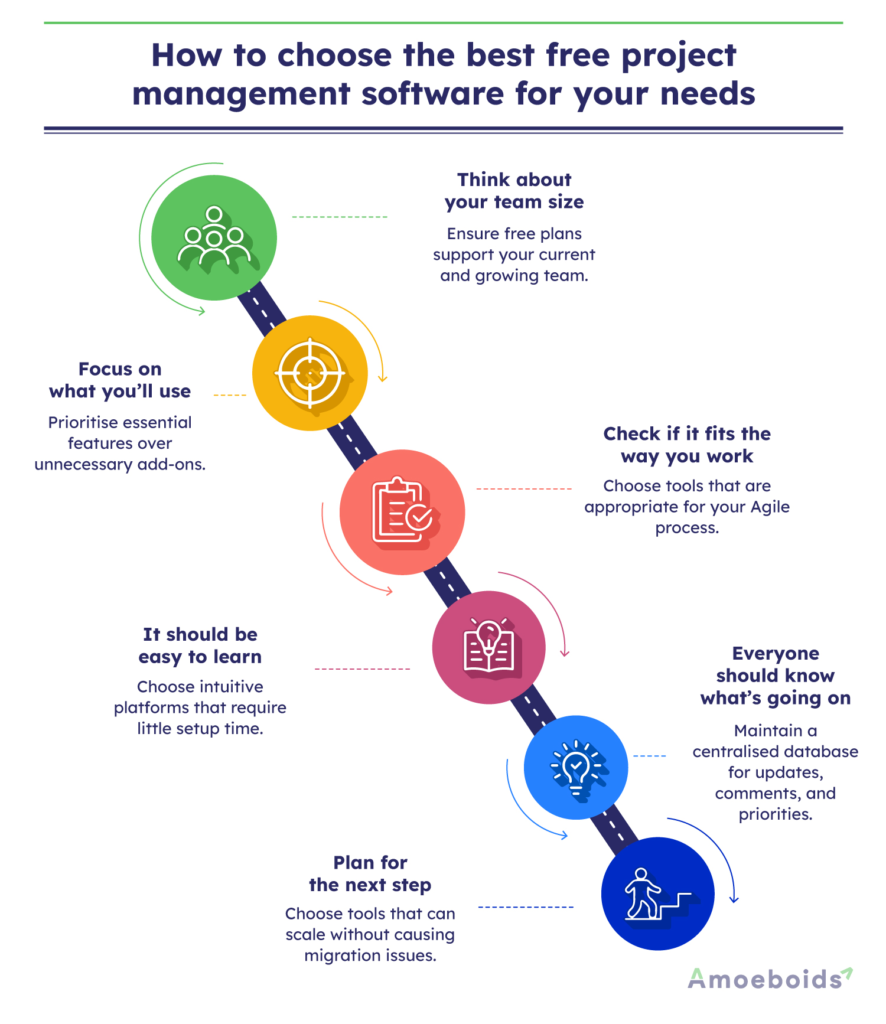
Think about your team size: Some tools cap users even on free plans. If you’ve got more than 5 or 10 people, make sure you won’t hit a wall early.
Focus on what you’ll use: Do you need Kanban boards? A sprint backlog? GitHub integrations? Don’t get distracted by features that are of no use to you..
Check if it fits the way you work: If you’re running Agile, you’ll want a tool that supports sprints, user stories, etc. You just need to figure out which fits best for your company.
It should be easy to learn: You shouldn’t need to train people for a week. If it takes too long to set up or onboard someone new, skip it.
Everyone should know what’s going on: Look for a tool where updates, task comments, and priorities are all in one place. That way, people don’t need to ask for status updates all day.
Plan for the next step: The best free tools also make it easy to upgrade when you’re ready, without switching platforms or starting over.
Let’s compare some of the free product management software tools next.
Comparing the best free project management software in 2025
Not all free tools and software are built the same. Some are great for simple task tracking. Others give you solid Agile features without requiring an upfront payment. Here’s a quick comparison of popular brands to help you decide what combination fits your team best:
| Brand | Best for | User limit (free) | Features that stand out |
|---|---|---|---|
| Trello | Visual planners, solo users | Unlimited | Boards, drag-and-drop cards, Power-Ups |
| ClickUp | Teams juggling different views | Unlimited | List, board, calendar, Docs, sprint support |
| Notion | Teams combining docs + tasks | Unlimited (Limited guests) | All-in-one workspace with templates |
| Asana | Teams that need structure + speed | Up to 10 users | Task lists, deadlines, and simple automation |
| Jira | Agile software teams | Up to 10 users | Scrum boards, backlog, sprint tracking |
| Wrike | Service or ops teams | Unlimited | Real-time updates, folder-based task views |
| Teamwork | Client-facing teams | Up to 5 users | Time tracking, invoicing, and project templates |
| Automated Release Notes & Reports App by Amoeboids | Jira-native Agile teams | 30-day free trial | Release notes, feedback portal, and idea management |
Conclusion
The right free project management software should fit your team and not the other way around. Start with the basics: how many people will use it, what features you can’t work without, and how well it supports your Agile workflow.
Check if it offers Kanban or Scrum boards, backlog management, and easy collaboration. Look for simple onboarding to help your team adopt it, and see if it integrates with tools you already use. Keeping scalability in mind, your free tool should have an upgrade path when your needs grow.
And if you’re already using Jira, Amoeboids can give your sprints more structure, especially when it comes to closing loops with the Automated Release Notes & Reports App and collecting feedback. It’s worth exploring if you’re serious about scaling Agile inside Jira.
Book a free demo now.
FAQS
Q. What is the best free project management software for small teams?
The best free project management software depends on the needs of small teams. Tools like Trello, ClickUp, and Asana are great options – easy to set up, simple to use, and packed with features that suit lean teams.
Q. What are the key features of the best free project management software?
Task tracking, Kanban or Scrum boards, collaboration tools, and basic reporting are the essentials that most good tools cover. Others include cross-platform compatibility, scalability, and multichannel access.
Q. How does free project management software compare to paid tools?
Free tools cover most core needs, but paid versions usually offer advanced reporting, more users, and deeper integrations. Either option can work depending on your team’s needs and budget.
Q. Can free project management software support growing businesses?
Yes, many tools scale well. Just keep an eye on user limits and whether upgrades make sense as your team grows.
Q. How do I choose the right free project management software for my team?
Start with your workflow. Look for a tool that supports how your team works now and won’t slow you down later.