
Projects often fall apart because they lack clarity. One person assumes a task is done, another thinks it’s still pending, and suddenly, deadlines start slipping. Without the right task management software, even the most capable teams waste their time figuring out their next step.
Recent reports show that only 53.5% of planned tasks are completed each week, and many teams barely cross the 40% mark. That means nearly half of your week’s effort could be lost to confusion, poor visibility, or constant context-switching.
That’s where smart task management software changes the game. In this blog, you’ll get a clear idea of what task management software really is and why teams can’t do without it anymore. You’ll also see its biggest benefits, the features, and how to choose the best task management software for teams in 2026.
What is task management software?
Task management software helps your team stay organized and get work done on time. It gives everyone a clear view of what needs to be done, who’s handling it, and how close it is to being finished. Instead of swimming in a pool of spreadsheets and endless messages, teams can track everything in one place. It helps your team achieve the desired momentum. Many of these tools are also the best task management software for individuals, helping organise tasks and priorities efficiently.
In Agile teams, this software becomes the base for planning and tracking work. You can see how ideas turn into tasks and how those tasks move across each stage of the sprint. Even some daily task management software also connects with your daily apps, so you don’t have to jump between different platforms to stay updated.
Everyone knows what’s pending and what’s done. That’s what makes a team efficient. Less meetings, more visibility.
Why do project teams need a task management system?
As teams grow or projects become more complex, having task management software becomes an absolute necessity. It solves the following problems:
1. Lost time and missed visibility
According to a 2024 Asana Work Index Report, employees spend nearly 58% of their time on “work about work”, things like tracking updates, managing communication, or searching for information. That means more than half your day goes into staying organized instead of actually finishing work.
A task management system changes that. It keeps everything in one place so people don’t waste energy hunting for answers or chasing updates.
2. Difficulty scaling coordination
As teams grow or work becomes cross-functional, manual coordination becomes a liability. In large-scale Agile programs, coordinating knowledge work across multiple teams is a known challenge. Formal coordination practices often emerge over time to reduce misunderstandings and misalignment.
3. Accountability gaps
Without a system to capture ownership, status, and due dates, responsibilities blur. You end up with multiple people thinking they own “that task,” or worse, nobody knows whose name is tied to it. A task management system enforces clarity on “who does what by when.” Many organisations implement employee task management software specifically to enhance ownership, visibility, and obligation across departments.
4. Reactive firefighting
Teams without a clear task hierarchy often spend time shifting priorities mid-sprint, chasing updates, and dealing with “urgent” interruptions. A system helps stabilize work by providing structure and a predictable cadence.
5. Data and continuous improvement
Without historical context or analytics, teams can’t reliably understand their velocity, throughput, or bottlenecks. A good task system gives you that data so you can inspect and adapt.
In short, a task management system becomes the muscle memory of a team’s workflow, especially in fast iterations.
Benefits of task management software
When you adopt the right task management software, real gains start to appear. Below are the core benefits you should expect.
- Enhanced productivity and focus: By breaking work into well-scoped tasks and surfacing bottlenecks, teams can operate with less friction. According to one source, task management tools help teams focus on their highest-impact tasks by improving time allocation.
- Better time management: With deadlines and real-time updates, teams avoid overcommitment. This gives you more realistic sprint planning and fewer surprises.
- Increased accountability and ownership: When a task is assigned with a deadline and visible to the whole team, accountability improves. You don’t have to chase people for statuses with task management software for teams.
- Real-time transparency and updates: Teams get up-to-the-minute visibility into who’s blocked, what’s delayed, and where support is needed. This is critical for fast adjustments.
- Cost savings and efficiency: By reducing wasted minutes, duplication, and miscommunication, a task system helps cut inefficiencies. Some studies highlight reduced project delays and resource waste, too.
- Scalability: As your team or workload grows, the system scales with you, from adding more users and projects to integrating more workflows.
- Better planning through data: The ability to review history (cycle times, task aging, throughput) gives you insight into improving estimation and process health. This is one reason many teams invest in the best project task management software to improve forecasting and delivery performance.
- Reduced stress and friction: Teams report less stress because they are no longer guessing who is doing what. Having clear priorities alleviates decision fatigue.
When evaluating daily task management software options, these are the benefits you should benchmark.
Features of task management software
The best task management software helps you plan work clearly and make it easier for teams to stay aligned with the ultimate objective. Here are a few features that make a real difference.
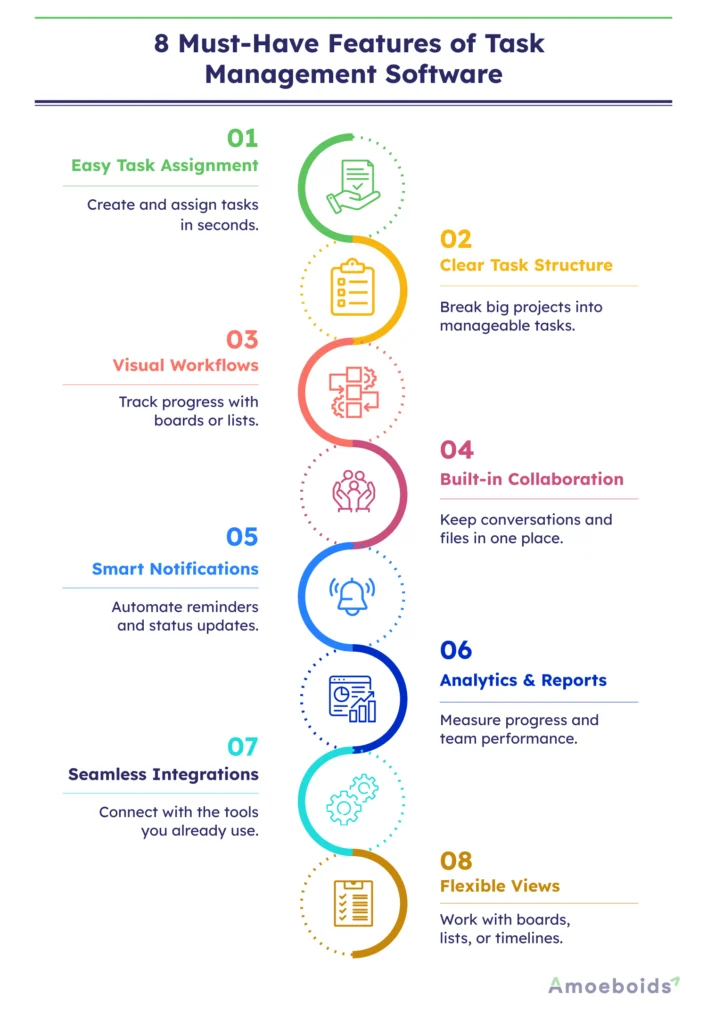
Simple task creation and assignment:
You should be able to create a task in seconds and assign it to the right person. Everyone should instantly know what’s expected and by when. Effective employee task management software also helps managers balance workloads and monitor task completion without micromanaging teams.
Clear structure and hierarchy:
Good software lets you break big goals into smaller tasks and connect them back to projects or sprints. That way, no work feels disconnected from the bigger picture.
Visual workflows:
A drag-and-drop board or list view helps you see how tasks move from “To-do” to “Completed.” It’s a quick way to spot both issues and improvements.
Built-in collaboration:
When team members can comment, share files, or mention each other directly inside a task, discussions stay tied to work instead of getting lost in messages.
Notifications and automation:
Smart reminders and automatic status updates reduce the need for manual follow-ups. If a task moves forward, everyone involved gets notified instantly.
Analytics and reporting:
You should be able to see how your team is performing. Is everything on track or overdue, and how long tasks typically take? These insights help you plan better for the next sprint.
Integrations that make sense:
Your task tool should connect with the apps you already use. The fewer tabs you switch between, the easier it is to stay focused.
Flexibility for different work styles:
Some teams love Kanban boards. Others prefer lists or timelines. A good tool lets you work your way without forcing a format that doesn’t fit. The same versatility makes many platforms suitable as personal task management software for freelancers, consultants, and independent professionals.
How We Tested & Chose the Best Task Management Tools?
Choosing the best task management software was not as simple as ticking off features on a list. Each tool was tested in real-world work scenarios, from sorting daily tasks to managing complex team projects. Truly productive platforms were identified by carefully examining ease of use, collaboration, customisation, integrations, automation, and pricing.
Hands-on testing, user reviews, and practical use cases helped to evaluate each platform more effectively. This process identified the best task management tools for staying organised, meeting deadlines, and managing projects effectively.
Best Task Management Software at a Glance
Comparing features, user interface, collaboration, pricing, and agility enables teams to choose productive task management platforms with ease.
- Easy Collaboration Features: The best task management software enhances communication by using shared workspaces, comments, file sharing, and real-time notifications. These features help teams stay connected, reduce confusion, and collaborate more effectively through every stage of a project.
- Smart Task Organisation: Modern task management tools help in scheduling tasks, prioritising tasks, tracking deadlines, and managing workloads. They make it easier to manage daily responsibilities while also ensuring that important tasks and milestones are not missed.
- Flexible Project Planning: A reliable project task management tool allows for custom workflows, automation, milestone tracking, reporting, and resource planning. This flexibility provides teams the ability to tackle simple tasks and complex projects with more insight and control.
- User-Friendly Dashboards: Clean dashboards and simple interfaces make it easy for teams and individuals to organise tasks and monitor project progress. Simple navigation also reduces the learning curve and improves overall productivity in daily workflows.
- Affordable Pricing Options: Many free task management software solutions provide critical planning, collaboration, and tracking features for expanding businesses. These affordable platforms are especially useful for freelancers, startups, and small remote teams with multiple projects.
How to Choose the Right Task Management Software for Your Team
The best task management platform for your team depends on its size, workflow difficulty, collaboration requirements, and long-term productivity goals.
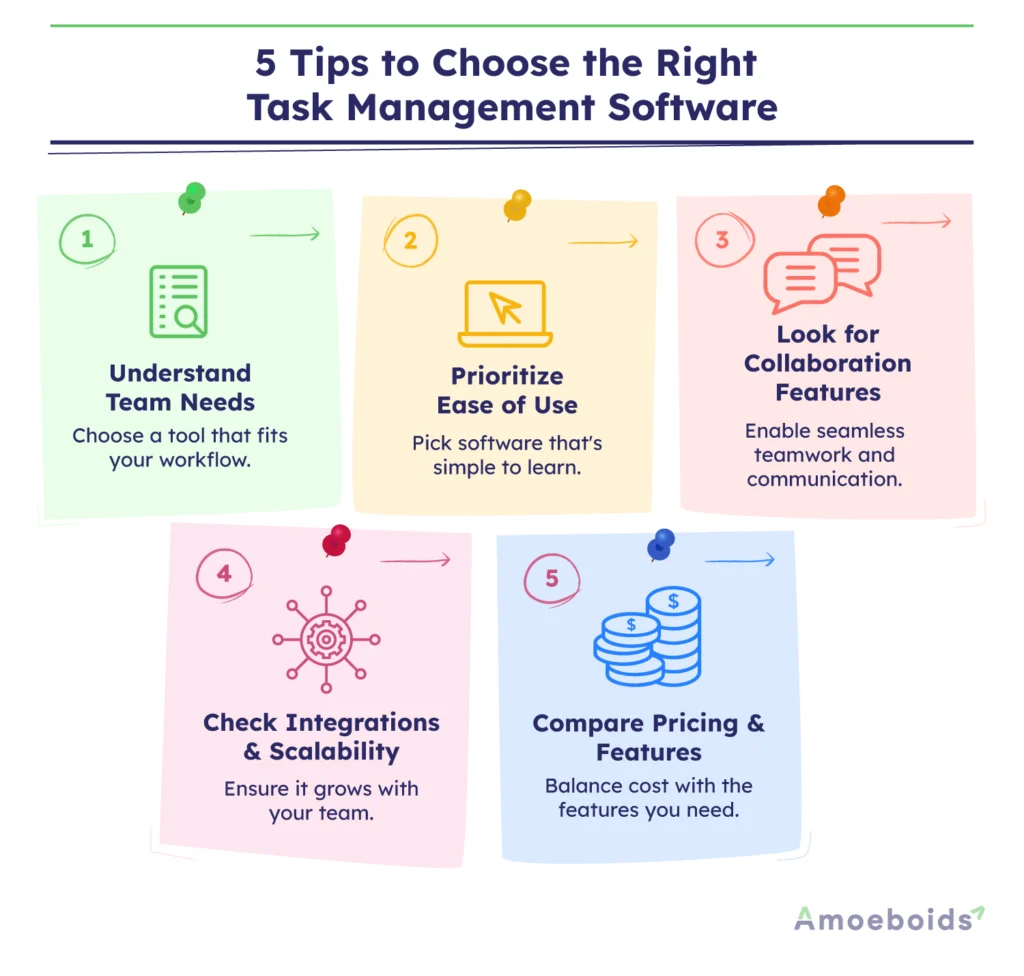
Understand Team Requirements:
Identify your team’s daily workflow, collaboration issues, reporting requirements, and project goals before choosing the best task management software.
Evaluate Ease of Use:
Choose platforms that have easy navigation, simple dashboards, and quick onboarding to help teams adopt tools without confusion.
Check Collaboration Features:
Reliable online task management software should easily support file sharing, comments, notifications, real-time updates, and seamless team communication.
Compare Scalability and Integrations:
A project task management tool should seamlessly integrate with existing apps and support growing teams and workloads.
Review Pricing and Features:
Compare premium and free task management software options carefully to balance affordability, essential features, and long-term value for your business.
Common Mistakes to Avoid When Choosing a Task Management Tool
Avoiding common mistakes allows teams to select scalable task management solutions that boost productivity and long-term workflow performance.
- Ignoring Team Requirements: Choosing the best task management software without understanding team workflows frequently results in poor adoption and lower productivity.
- Focusing Only on Pricing: Selecting inexpensive or free task management software without reviewing essential features can limit collaboration and project management productivity.
- Overlooking Integrations and Scalability: A poor project task management tool may not be able to support growing teams, workflows, and integrations of third-party software effectively. Choosing the best project task management software helps avoid these limitations as your organization expands.
- Choosing Complex Interfaces: Complicated dashboards and difficult navigation can reduce engagement, slow onboarding, and have a negative impact on team task management.
Conclusion
Choosing the best task management software for teams is no longer optional for high-performing teams. It’s integral to staying on top of complexity and scale. It’s safe to say that by now you know:
- What task management software really is
- Why teams need a system to avoid dropped tasks and coordination friction
- The benefits you should expect, like productivity, accountability, scalability, and so on
- Critical features to evaluate when selecting a tool
Whether you are evaluating enterprise solutions or personal task management software, the goal remains the same: creating clarity, accountability, and consistent execution.
As you evaluate different task management software, match them against your team’s workflow, agile maturity, and integration needs. Start with a pilot with one team or one project, and then eventually expand. Commit to regular reviews, inspect metrics, and iterate. With the right platform and practices, your team can move towards confident delivery.
FAQS
Q. How to choose task management software?
Pick a tool that solves your team’s real problems, fits into your daily workflow, and is simple enough for everyone to use. Make sure it integrates with tools you already rely on and can scale as your projects grow. A quick trial with your team is the best way to see if it truly fits.
Q. Which is the best task management software?
There’s no one-size-fits-all answer. The best tool is the one your team actually uses, which is easy to navigate, supports collaboration, and fits your work style. Teams often highlight collaboration features, while the best task management software for individuals focuses more on personal productivity, reminders, and workload organisation. Try a few options before deciding; comfort and consistency matter more than features on paper.
Q. Does task management software make you more productive?
Yes, when used right. It eliminates confusion, enhances accountability, and enables teams to focus on work that truly matters, rather than chasing updates. Over time, this clarity leads to faster decisions and stronger results.